Comparison and Application/Deployment Tutorial for Free Domestic CDNs
Foreword
This article targets domestic CDNs, which require ICP filing to be used.
In the current network environment, if a website uses a single server IP, it may result in extremely slow access speeds in some regions or even failure to open.
This is a huge loss for new sites, but since the website traffic is not very large, you can rely on free domestic CDN services to accelerate your personal site.
(Long post with many images warning)
Free CDNs
The free CDNs tested in this article are:
- Baidu Cloud Accelerator 2. Upyun Alliance 3. Qiniu Cloud Accelerator 4. Jiasule (Knownsec) 5. Jingan CDN (Kuaiyun) 6. Huawei Cloud CDN (Trial) 7. 360 CDN
They are mainly compared from three aspects: registration difficulty, completeness of management panel functions, and network latency in various regions.
(The subheadings below are all hyperlinks that jump to the official website of the corresponding CDN provider)
(If there are registration links below, they are my referral links. You are not forced to use them; you can find the entrance by clicking the title's official website. Still, I hope you can support me)
Baidu Cloud Accelerator
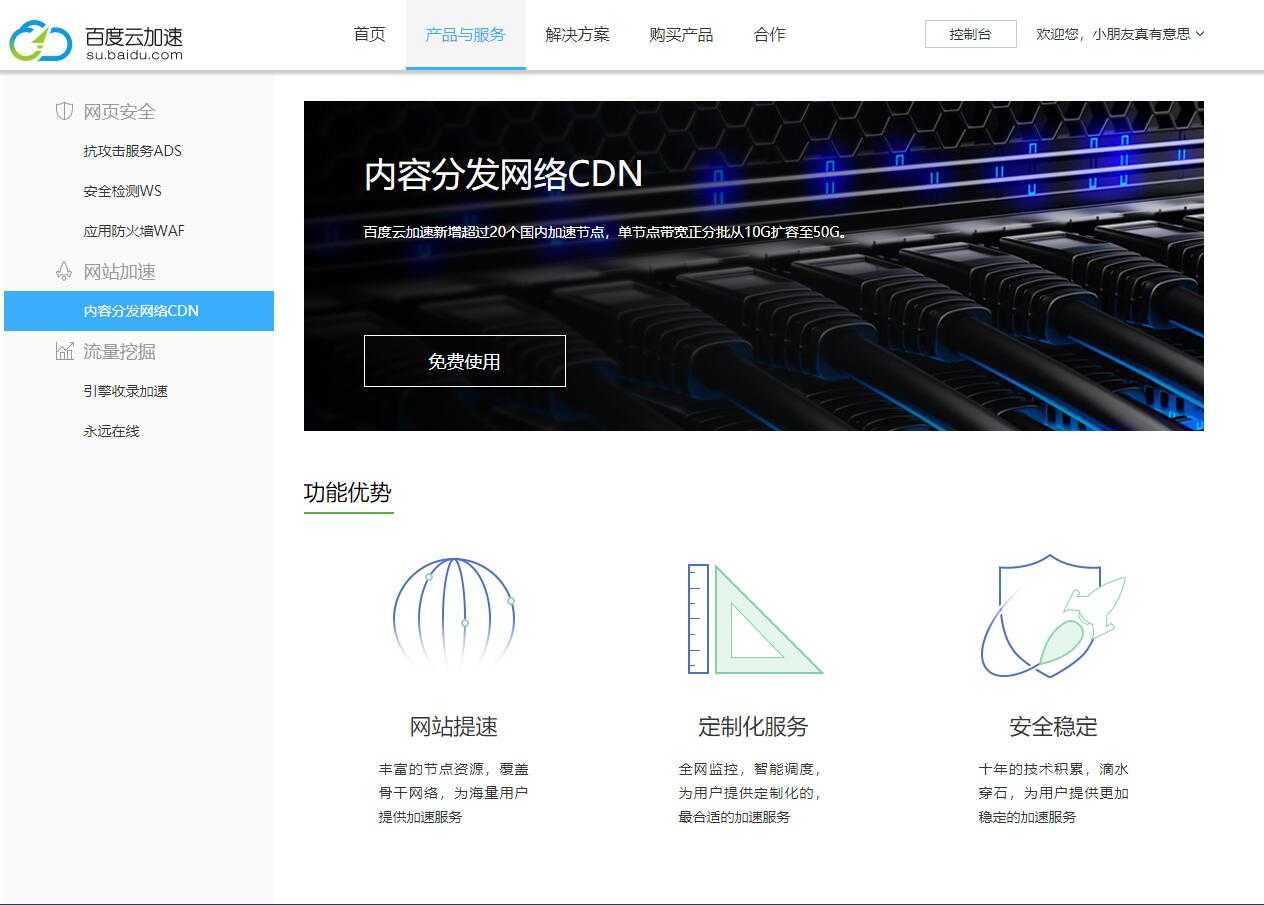
Baidu Cloud Accelerator Introduction
After logging into your Baidu account, you can enter the access interface. If you haven't completed real-name authentication, you need to go to the console to do it first. It takes about half a day to pass after submitting the information.
Then, in the access interface, fill in your main domain name (for example, mine is resdon.cn, which requires ICP filing; unfilled domain verification will not pass), and select the access method. The NS method requires modifying the domain name servers, while CNAME only requires adding a CNAME record.
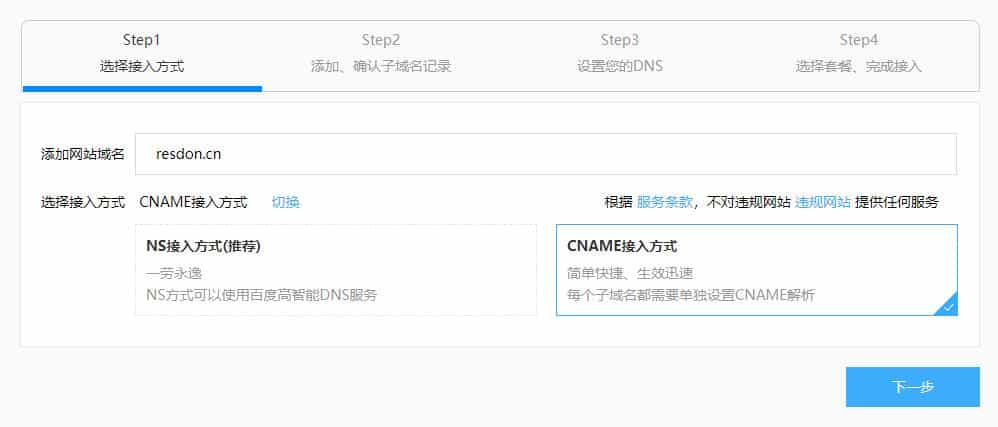
Website Access Method
Next is adding subdomains. The main domain is @, and www is www. Here I wrote a test page.
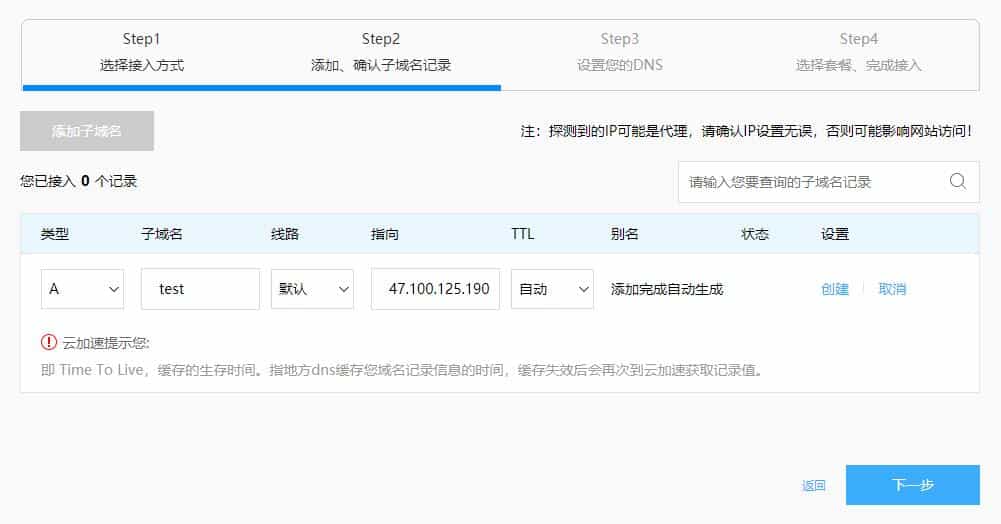
Domain Record Addition
Next, set up the DNS records. You need to go to your DNS provider to add a CNAME record. If you chose NS access, you need to modify your domain name servers (which is more troublesome and not recommended).
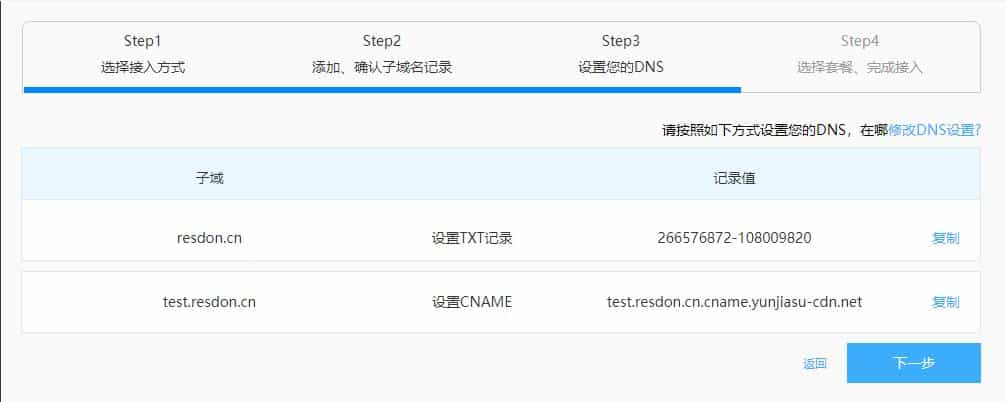
CNAME Modification
The next step is to select the version; we can just choose the free version.
After waiting for the information to sync, you can start using Baidu Cloud Accelerator.
In addition, Baidu Cloud Accelerator supports global acceleration (domestic self-owned nodes, overseas cooperating with Cloudflare), but the free version only supports HTTP acceleration, meaning you cannot deploy an SSL certificate.
The console interface is shown below.
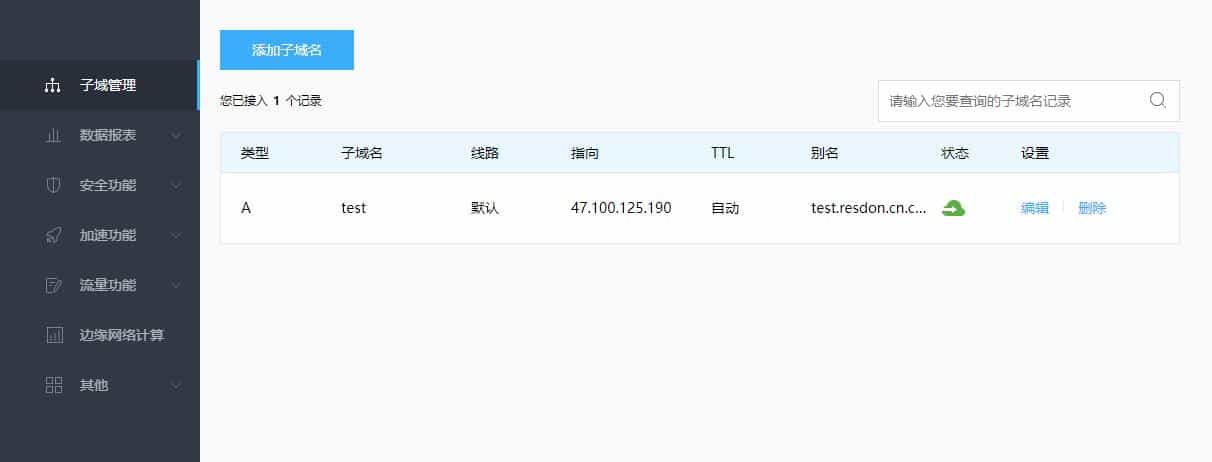
Console Main Interface
Below, we use the testing tool provided by IPIP.NET to test the global latency.
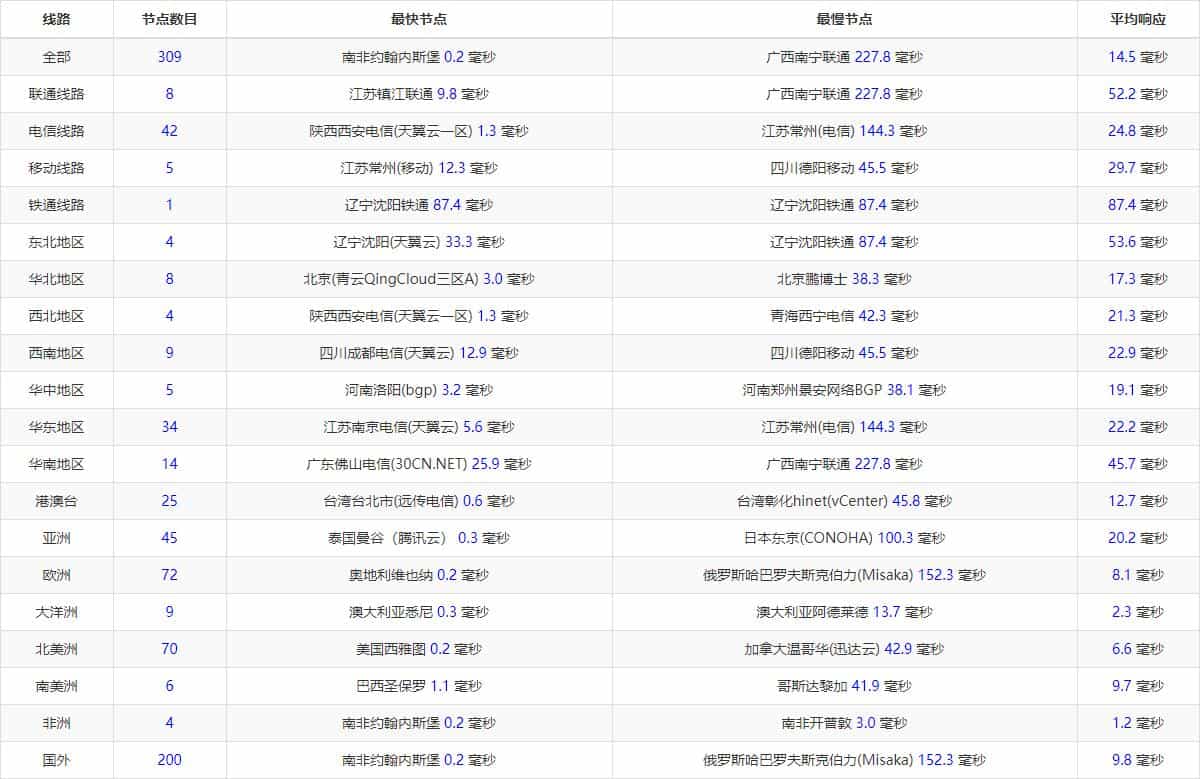
Latency Situation
Thanks to the cooperation with Cloudflare, the overseas latency is excellent, which is an advantage that none of the other free CDN providers have.
I am using an Alibaba Cloud Shanghai server. The domestic direct connection latency is as follows, which can be used for comparison.
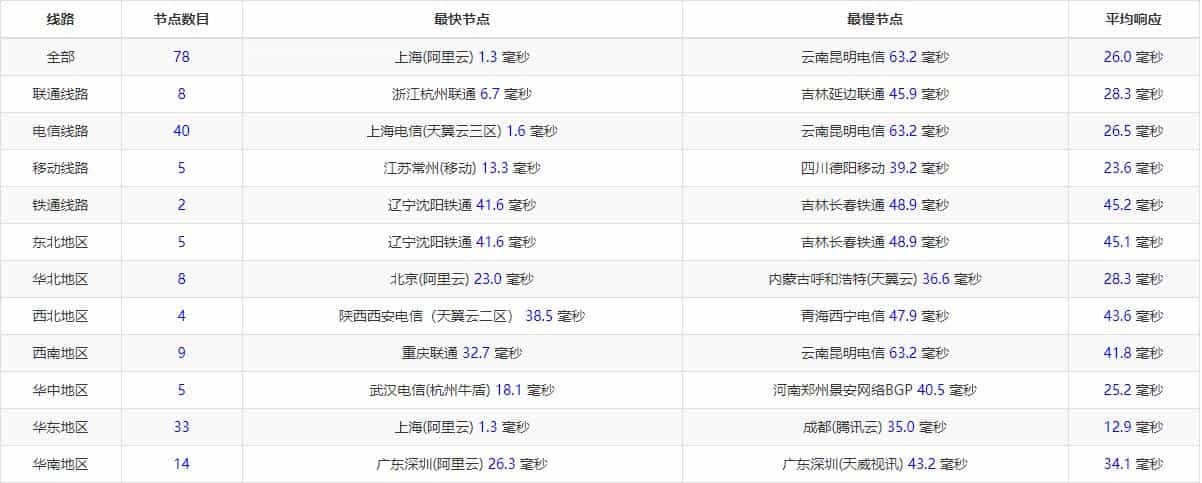
Direct Connection Latency Comparison
Upyun Alliance (Currently used by this site)

Upyun Alliance
To use their free CDN service, you need to add their site logo on your webpage, and it requires passing a review (10GB storage + 15GB CDN traffic per month).
New users get a 61 RMB coupon valid for one month upon registration, click here to register.
The picture below is a photo of the console.
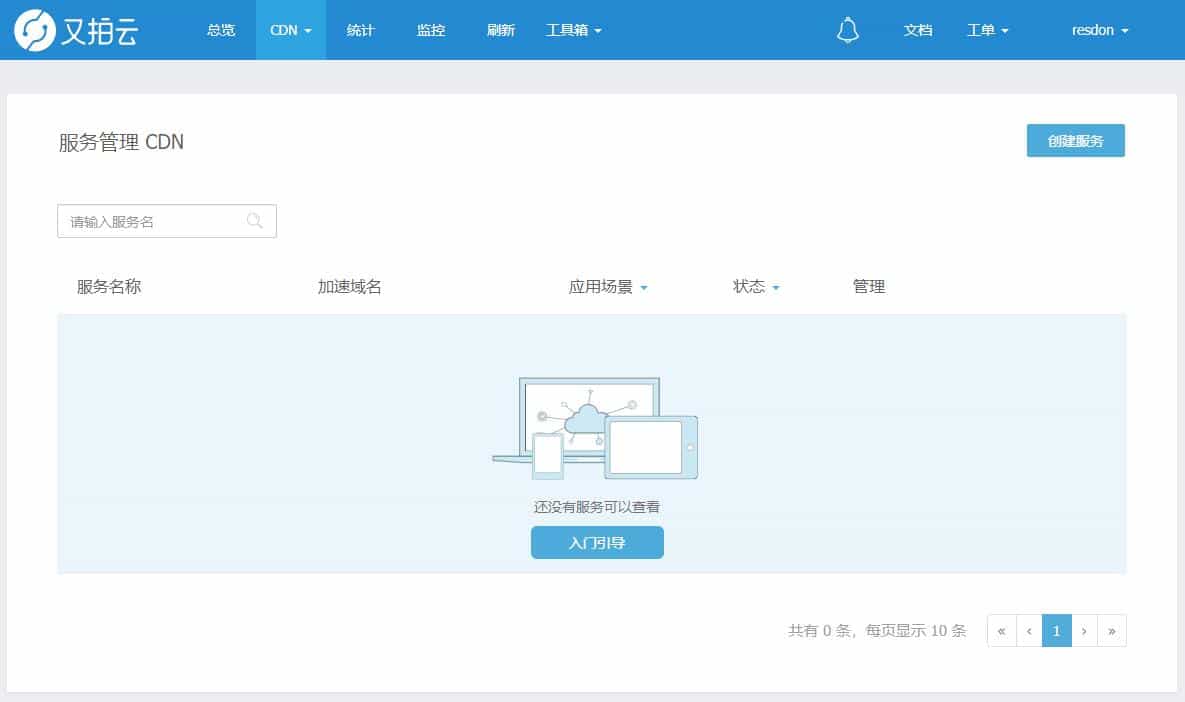
Console Interface
Click Create Service in the upper right corner to enter the creation page.
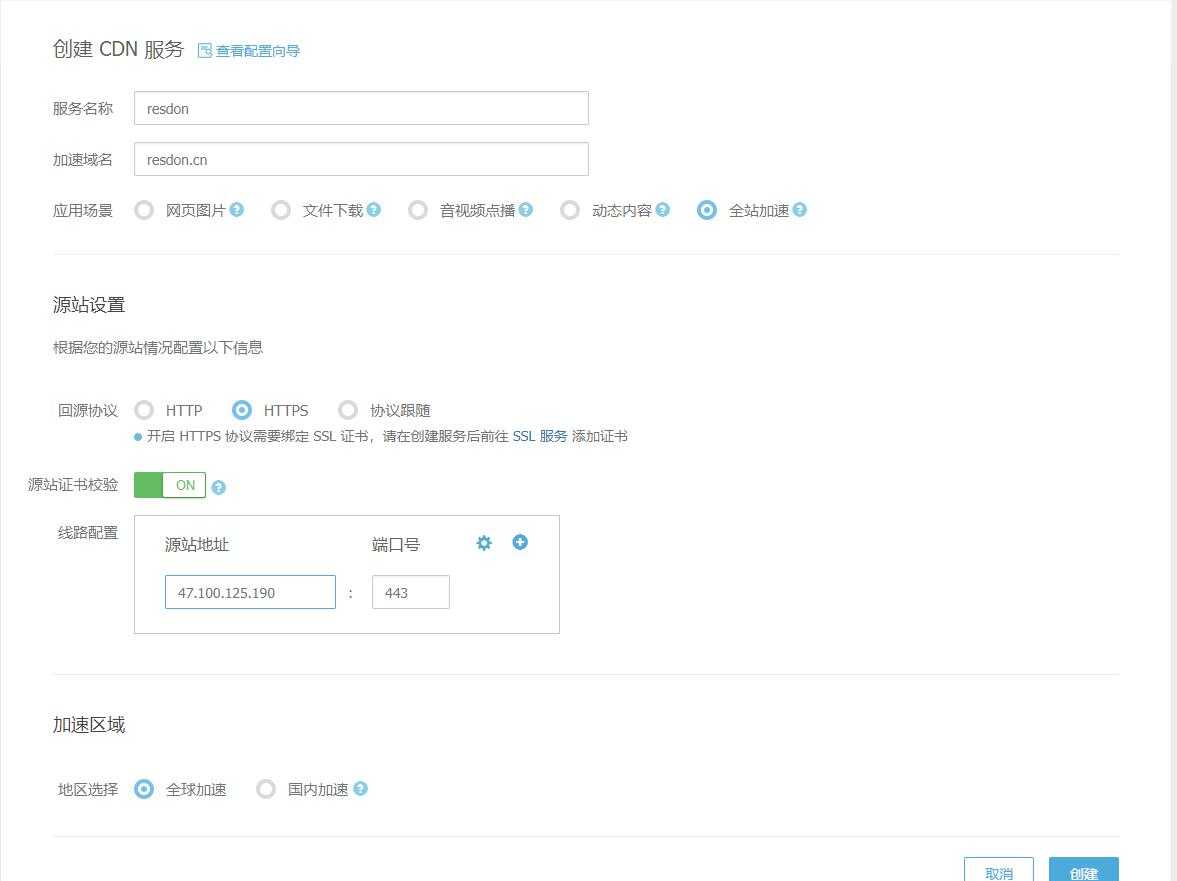
Creation Page
It is worth noting here that it supports global acceleration and HTTPS, which is a bit better than Baidu Cloud. Just add a CNAME record at your DNS provider to complete the setup.
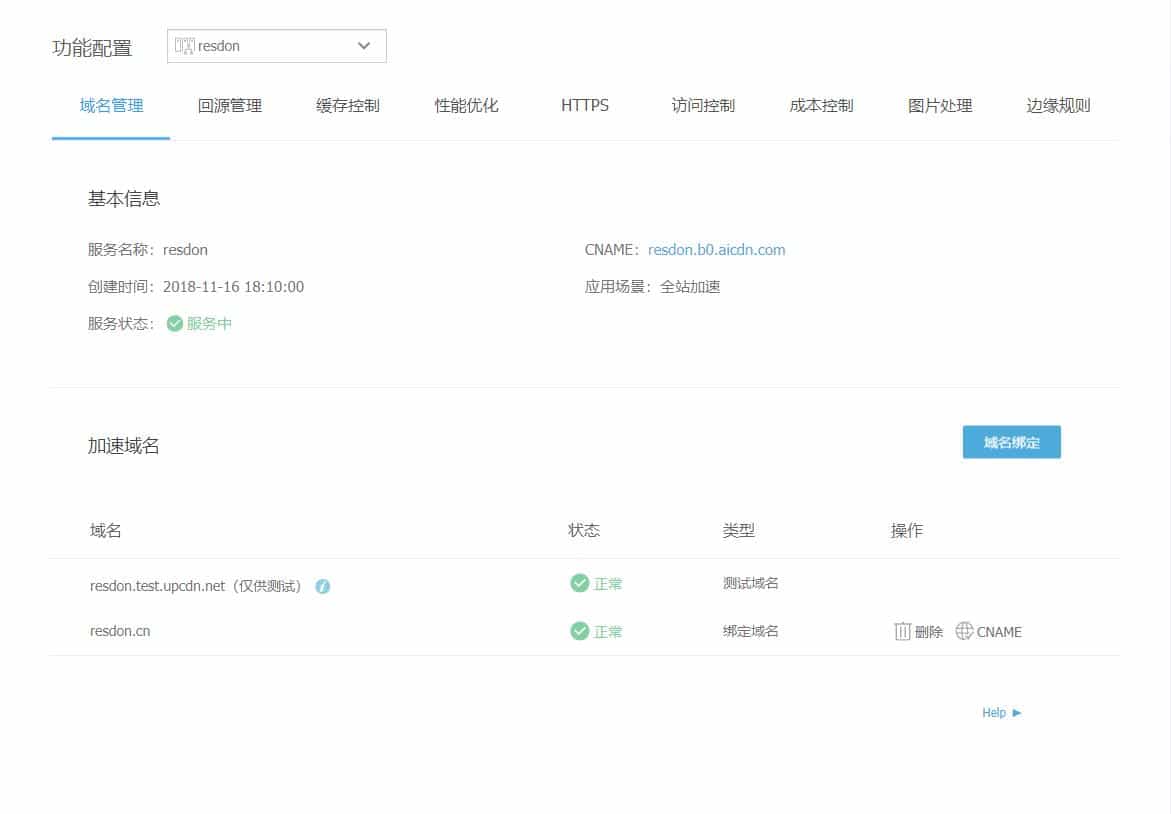
CNAME Addition
You can set up image processing, origin pull management, HTTPS, etc. In HTTPS, you can also enable TLS 1.3 with one click, which is quite practical.
Below, we use IPIP.NET to test the global latency.
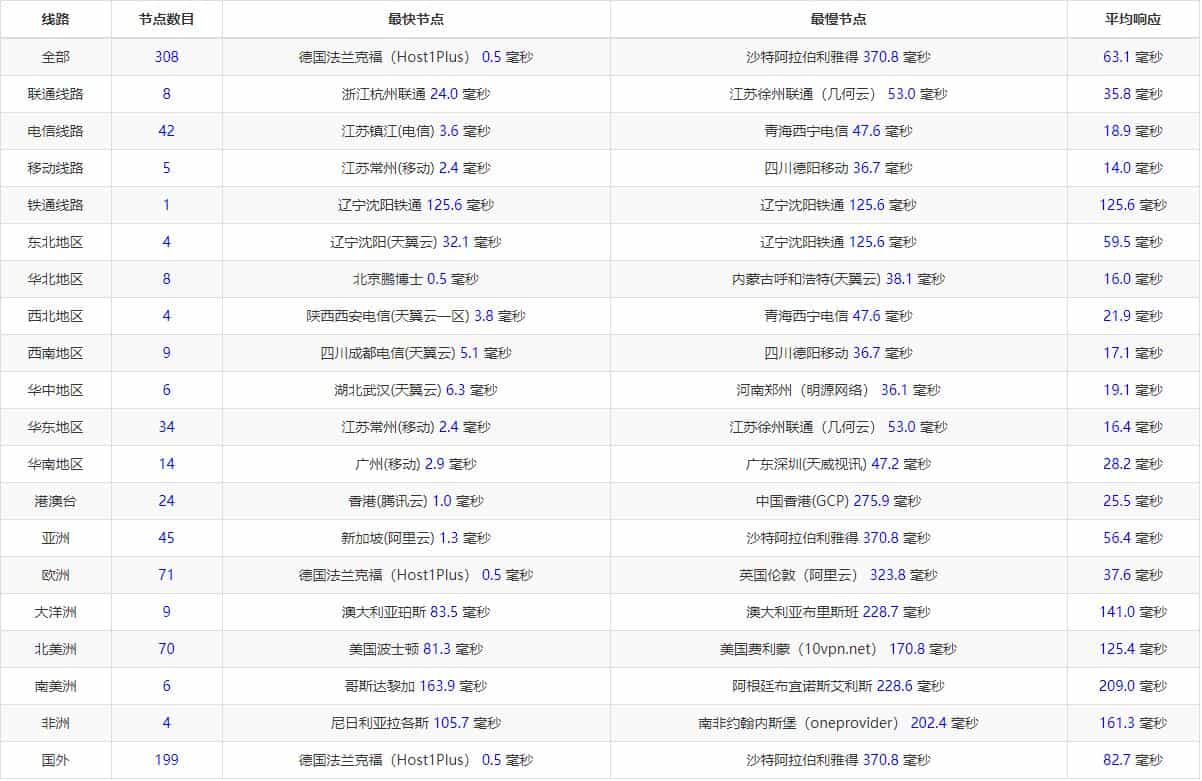
Latency Situation
For global nodes, the acceleration effect is not ideal except in Asia; it can only be said to be slightly better.
I took a look, and Upyun has few overseas CDN nodes. Only three overseas nodes were detected: Germany, Hong Kong, and Singapore, resulting in unsatisfactory overseas latency.
Please form your own opinions on this.
Qiniu Cloud Accelerator
Qiniu Cloud Accelerator also requires real-name authentication, click here to register.
Qiniu Cloud only supports free HTTP acceleration (10GB free per month), does not support HTTPS (requires payment), and supports global acceleration.
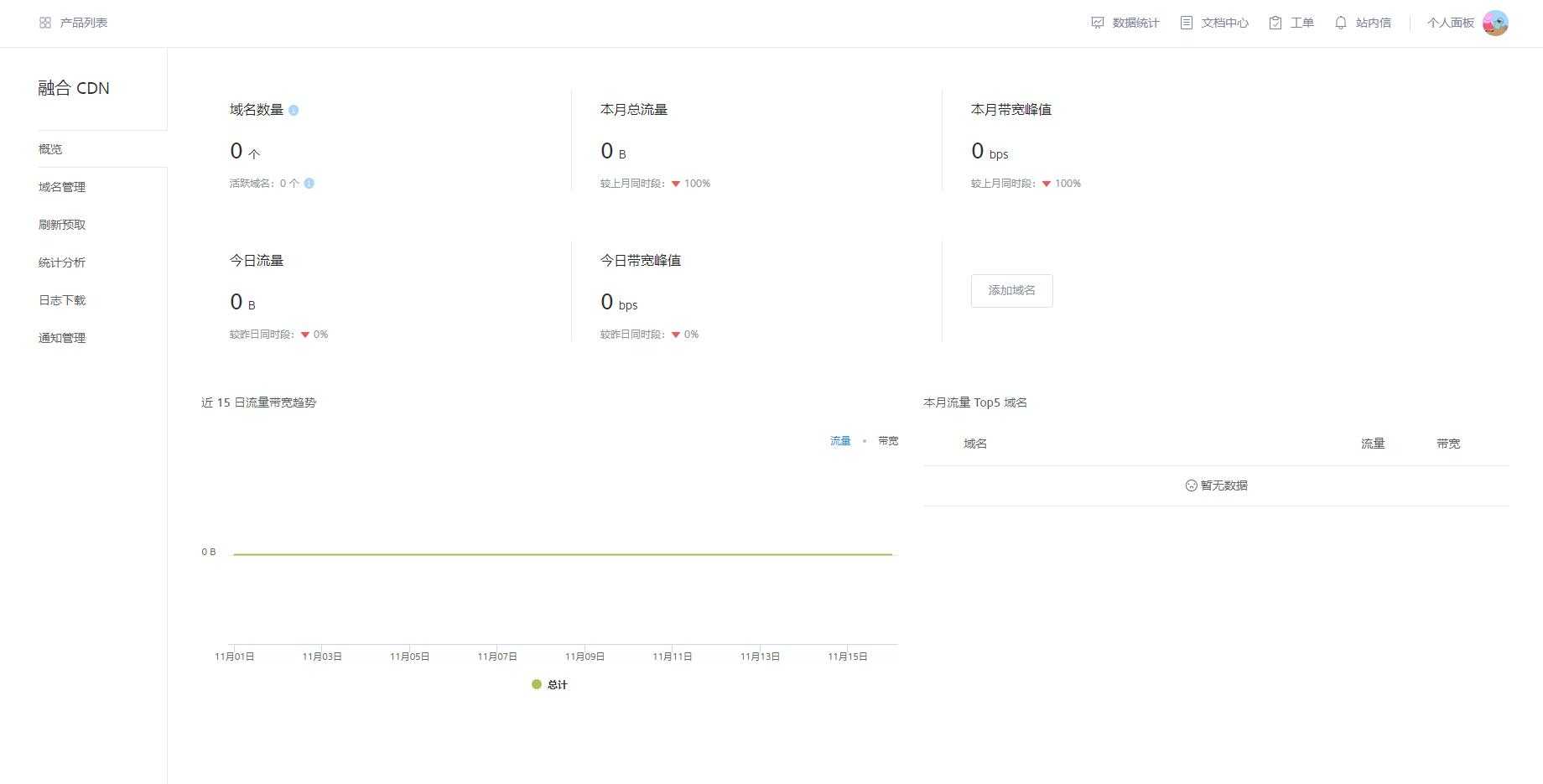
Console Interface
Select Domain Management -> Add Domain to start setting up your CDN.
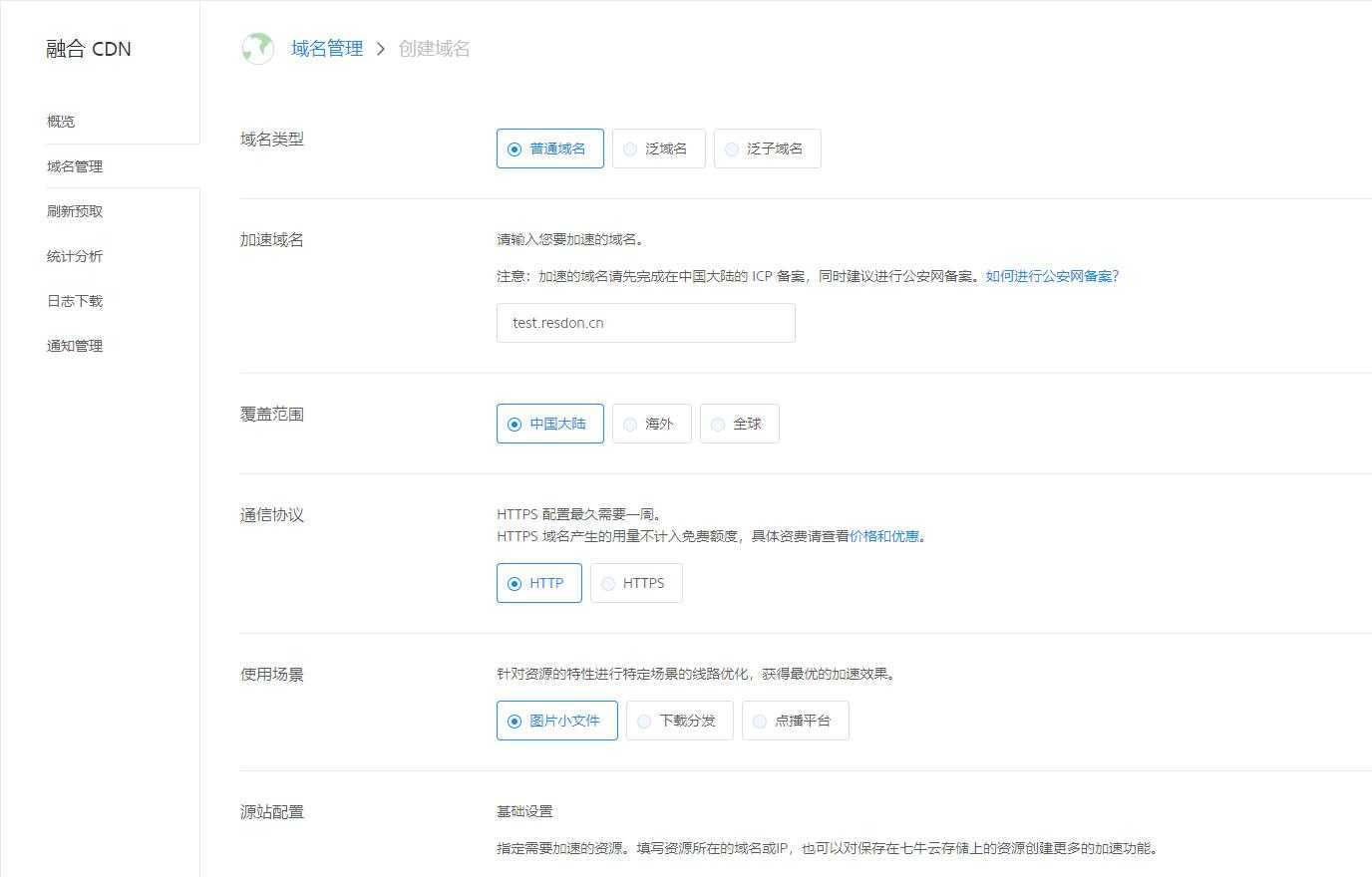
Domain Addition
After successful creation, go to your DNS provider to add a CNAME record.
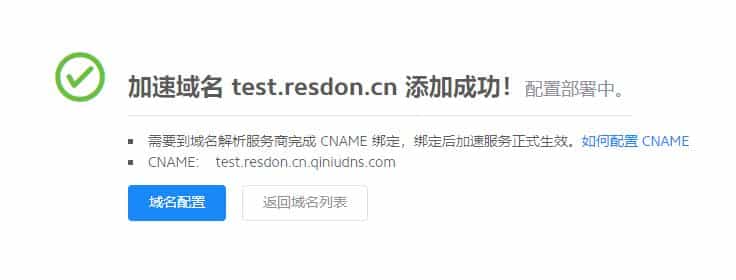
CNAME Record Addition
After waiting for the relevant information to sync, you can start using it.
Qiniu Cloud also includes features like Origin Pull Configuration, Cache Configuration, HTTPS Configuration (not available in the free version), Access Control, Image Optimization, etc., which is quite decent.
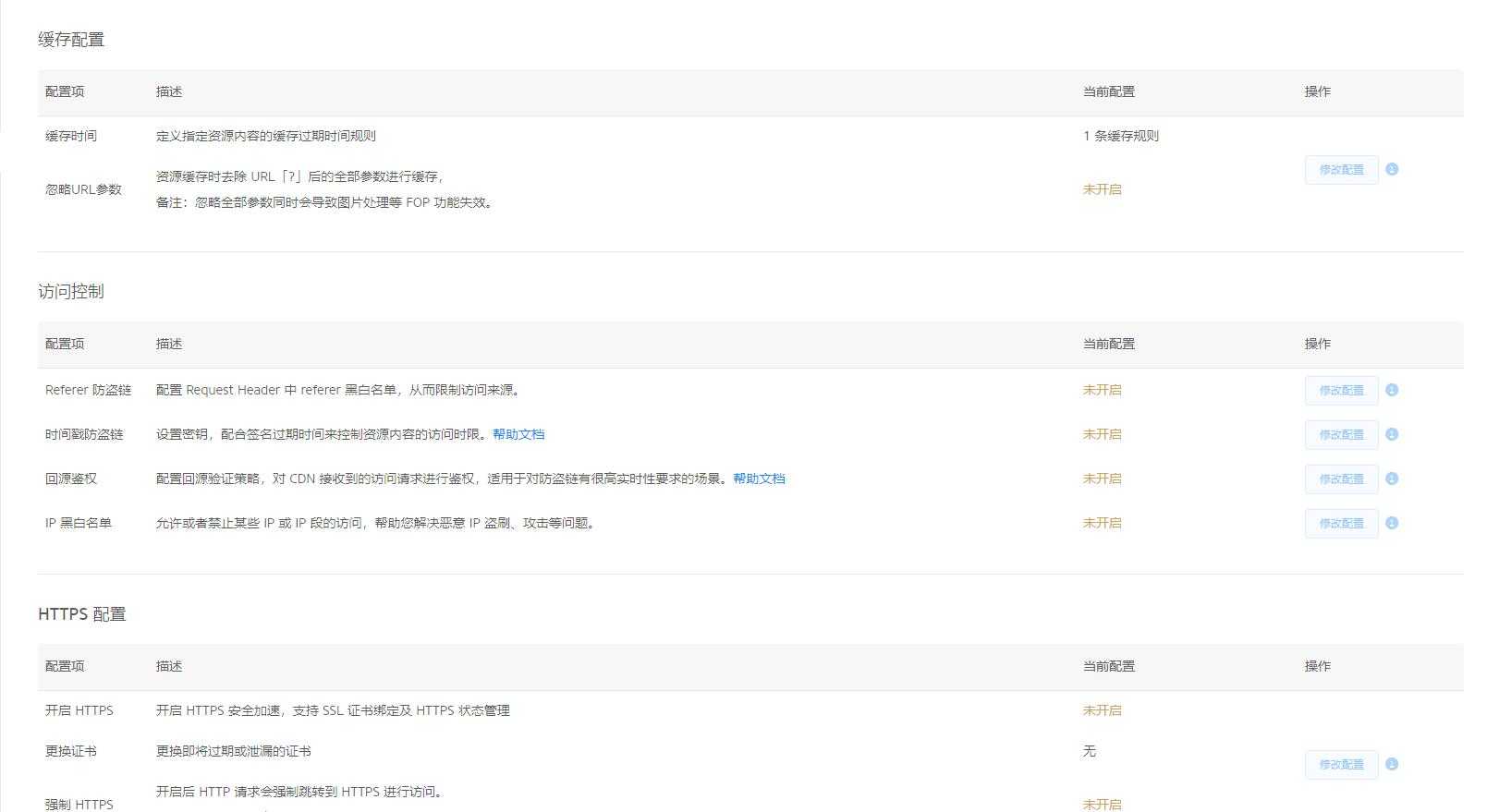
Detailed Configuration Settings
Next, let's test the global latency
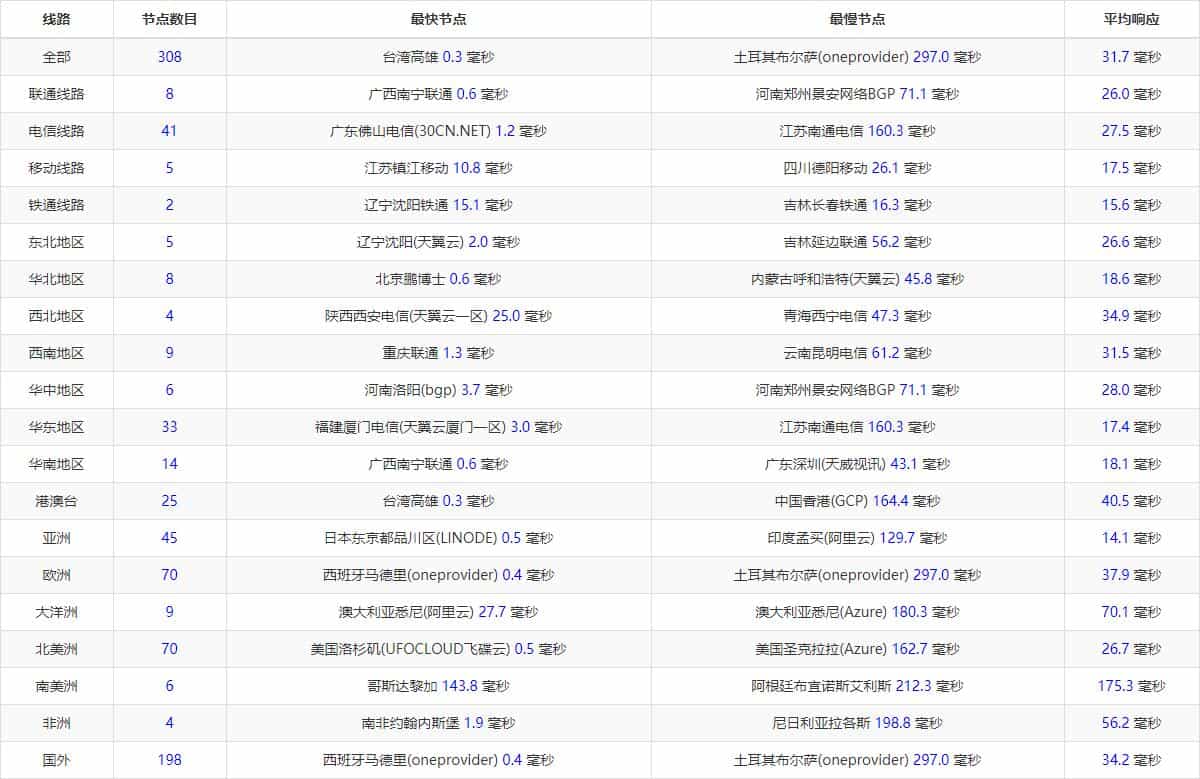
Latency Situation
The global latency is excellent! It can be compared to Baidu Cloud Accelerator.
The domestic latency is also good, with a noticeable acceleration effect! Unfortunately, HTTPS is not supported, which is the only drawback.
Jiasule (Knownsec)
After creating an account, you need real-name authentication, mobile phone verification, and email verification; all are indispensable.
The free version of CDN provides: 3600GB/month, peak up to 5G/hour, 72 lines, anti-leech, permanent online, etc. (more suitable for high-traffic webmasters). Does not support HTTPS.
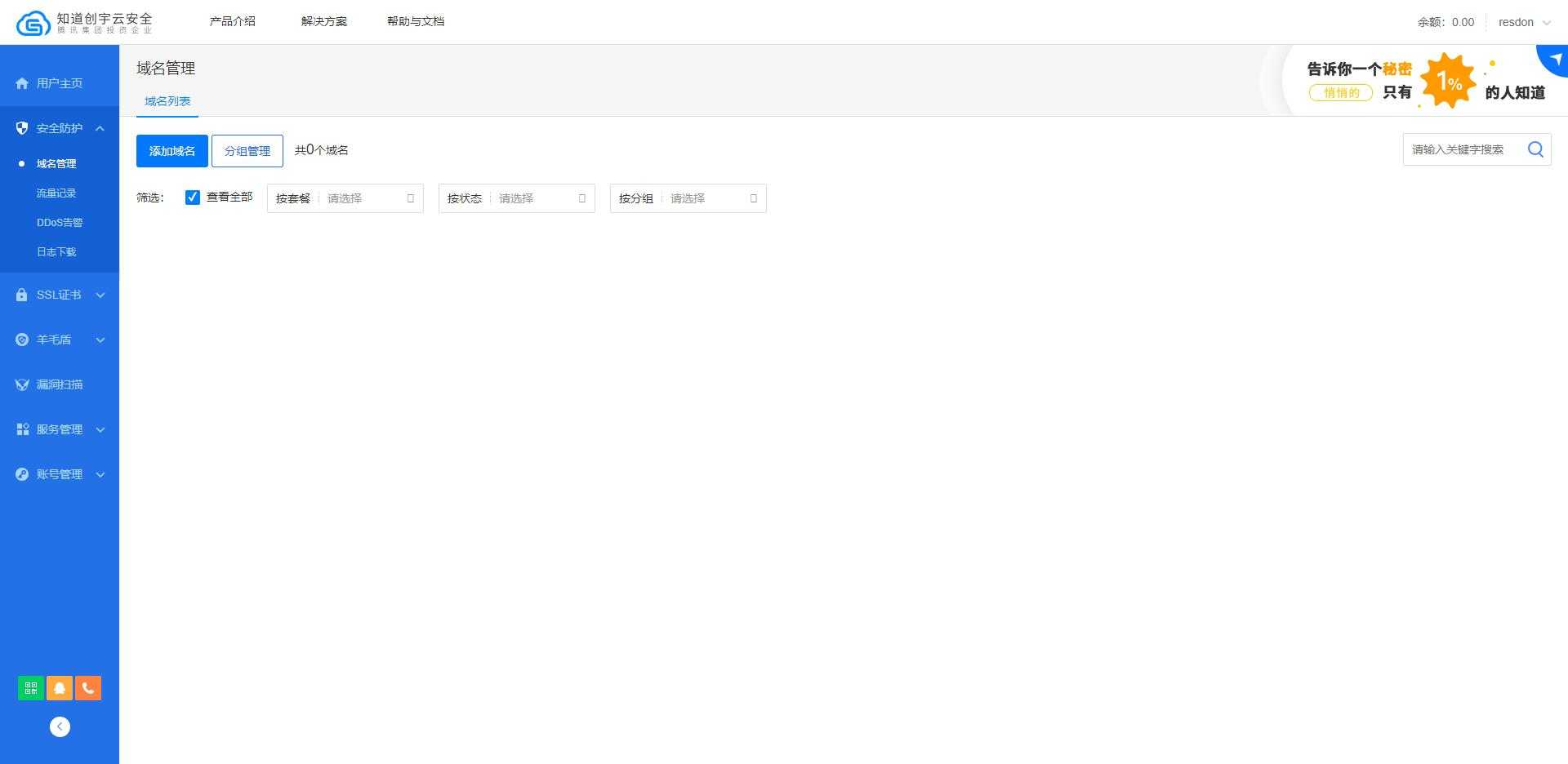
Console Interface
Click Add Domain, enter the Main Domain, also select the CNAME Access Method, and proceed to the next step.
The next step is to add a subdomain. Click add subdomain and enter the content you want to accelerate. This part is somewhat similar to Baidu Cloud Accelerator.
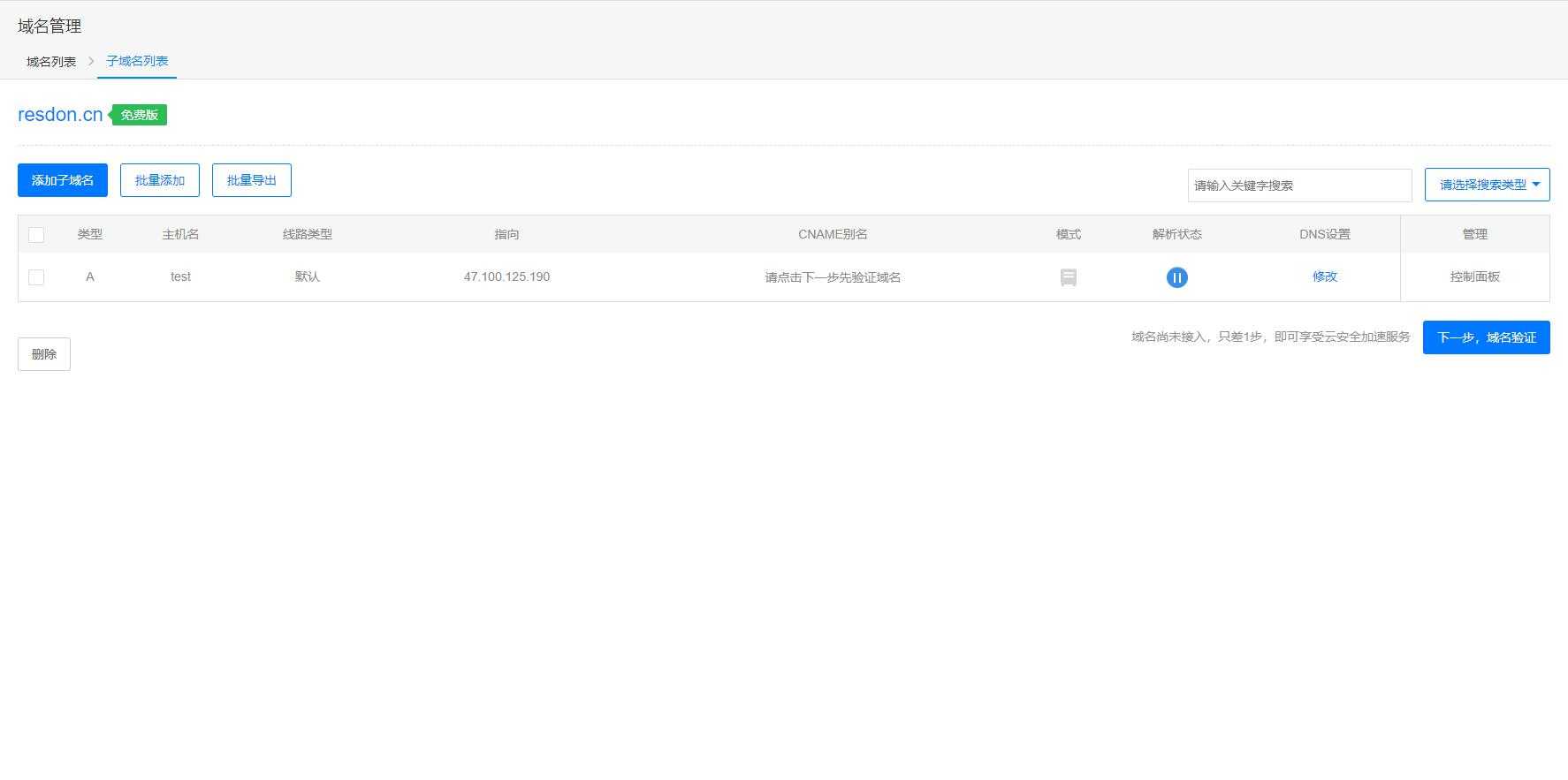
Subdomain Addition
Then continue to the Next Step.
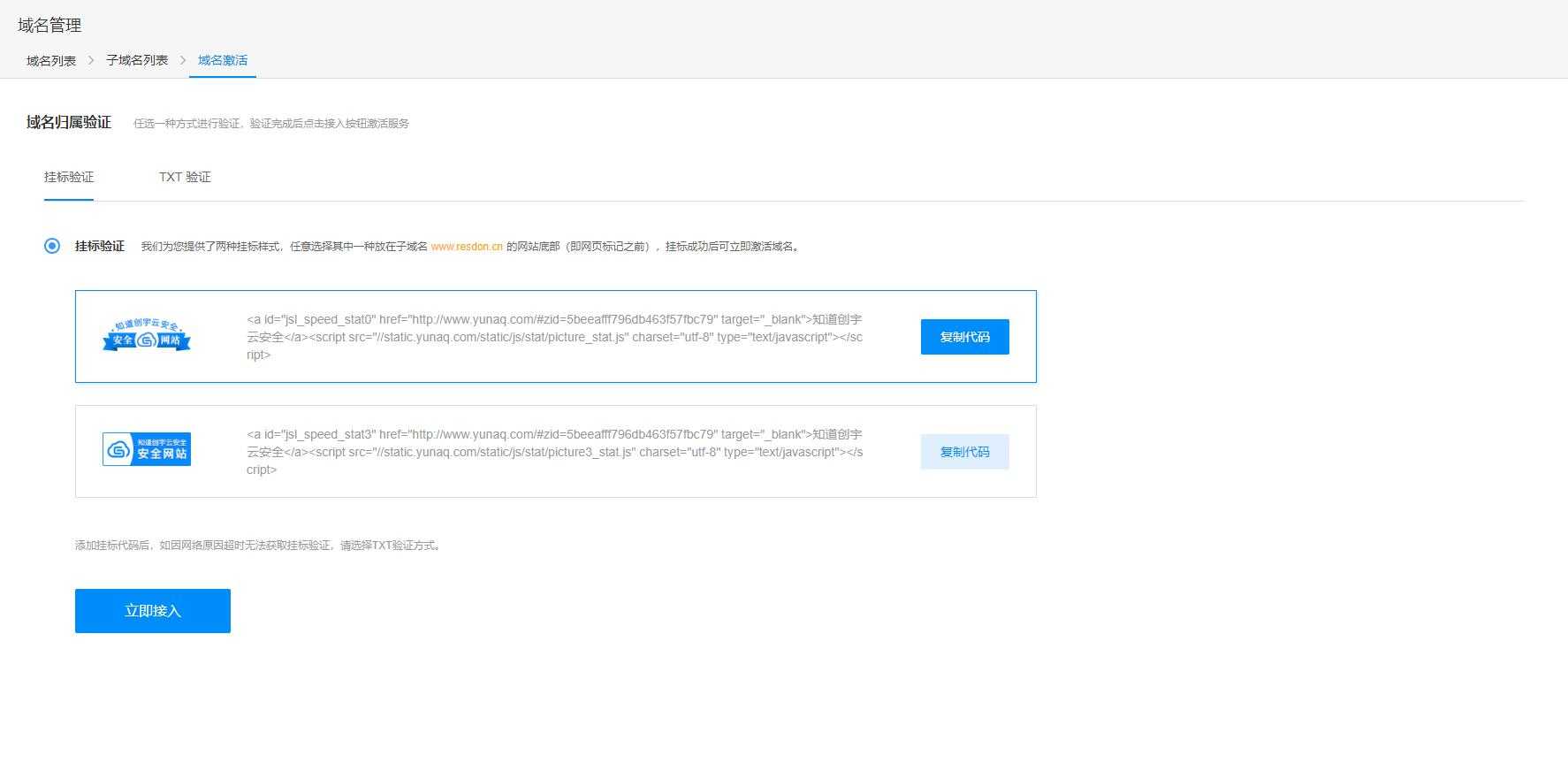
Domain Verification Method
You need to verify the domain. There are two methods: Badge Verification and TXT Verification. Just choose the one that suits you best.
I chose TXT Verification here, which only requires adding a TXT record at your domain registrar.
Below is the prompt after successful verification.

Domain Addition Completed
The default mode is Origin Pull Mode. You need to go back to the subdomain management and re-select Cloud Mode (Subdomain Management -> DNS Modification -> Cloud Mode).
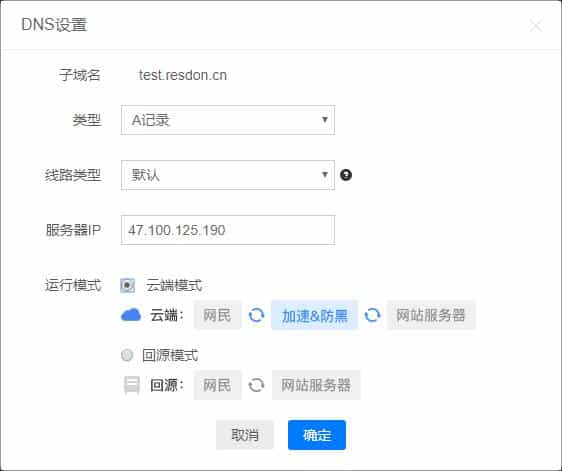
Origin Pull Mode Settings
Then, based on the displayed CNAME, go to your DNS provider to add your CNAME record.
After adding, click Detect. Successful detection means successful access.
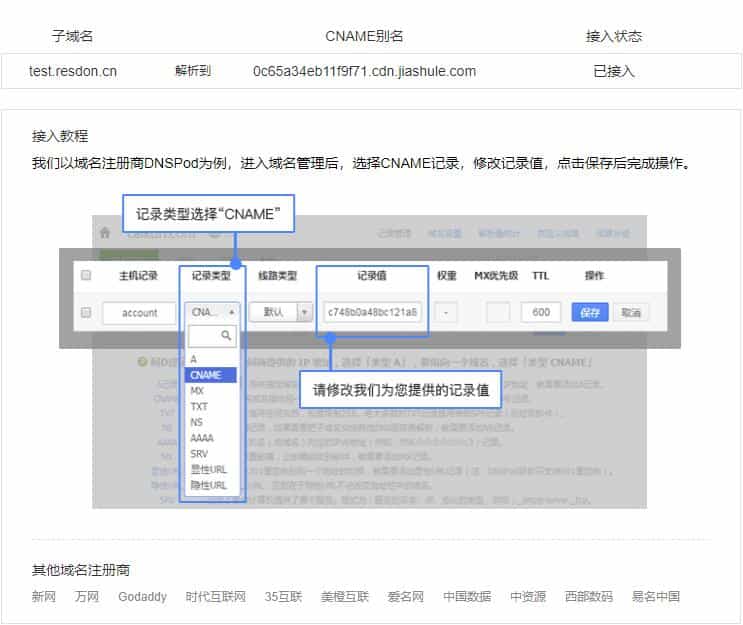
CNAME Settings
The functions supported by the control panel are as follows, there is no image optimization.
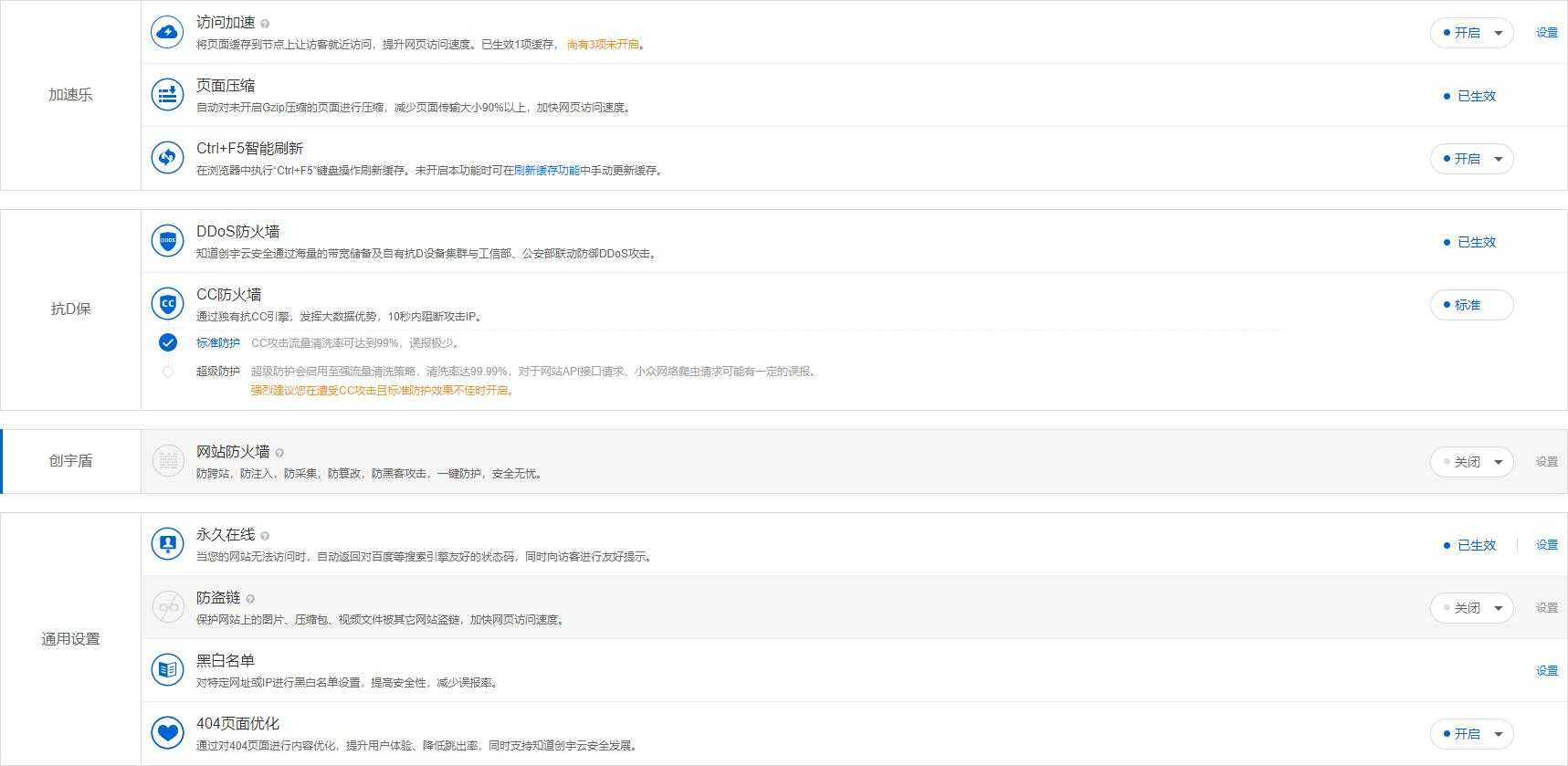
Detailed Settings Interface
Knownsec Jiasule focuses on secure acceleration features, providing three firewalls that other providers do not offer.
Next, let's test the global latency (the official website didn't indicate whether it supports global acceleration, so we can just test it)
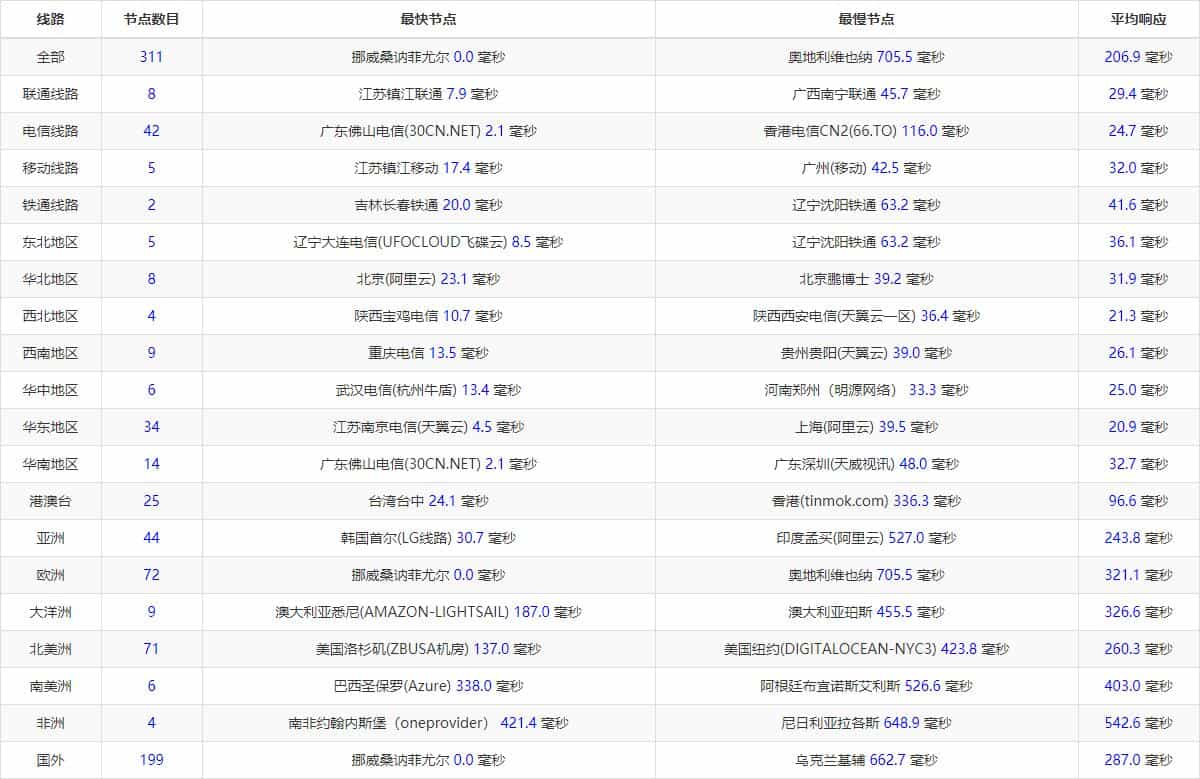
Latency Situation
Obviously, global acceleration is not supported, but the domestic latency has improved significantly, while the overseas latency increases instead of decreasing.
However, the advantages of Jiasule are security and large traffic.
Kuaiyun CDN (Jingan Networks)
Jingan also requires real-name authentication before it can be used.
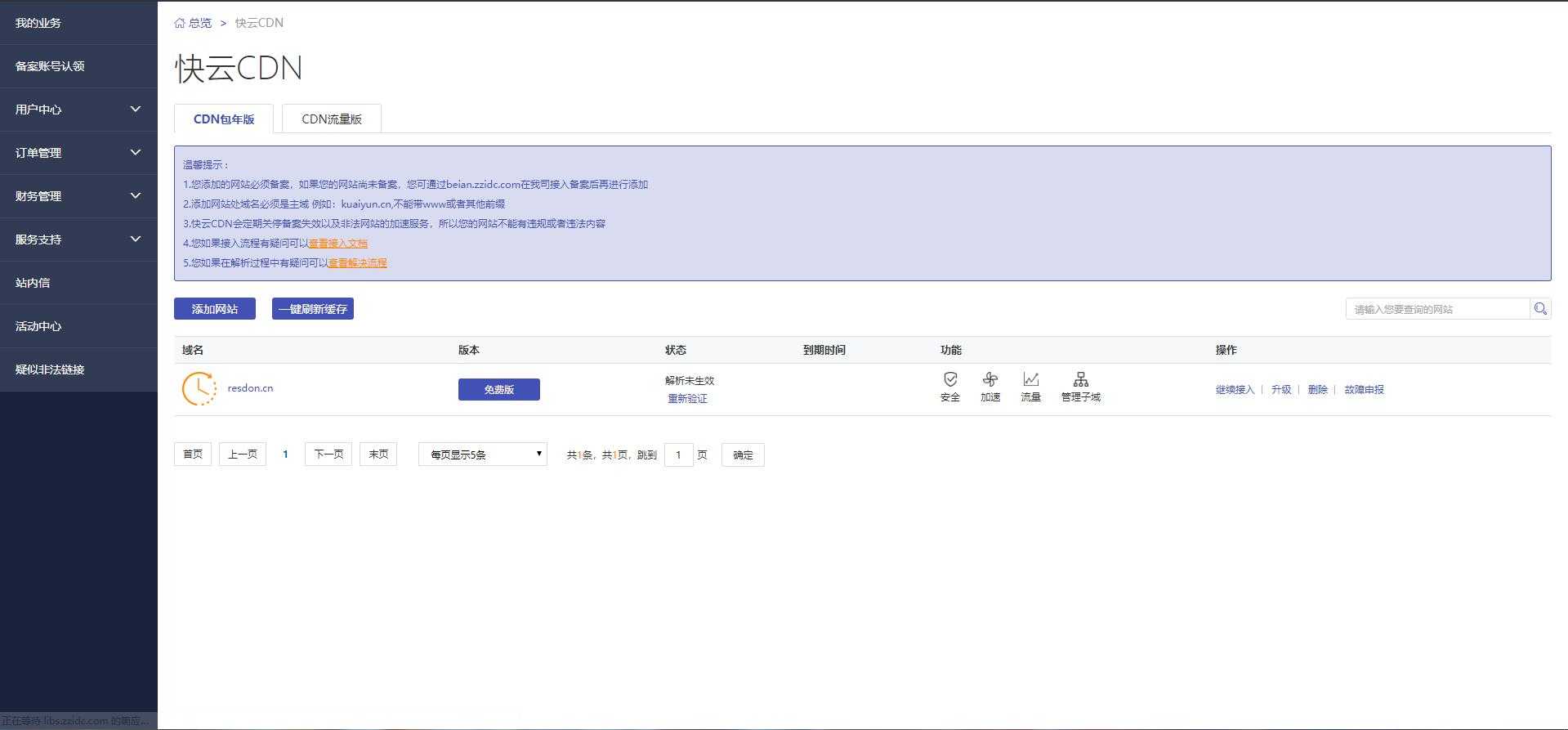
Console Interface
Click Add Website to start configuring the CDN. After adding the main domain, it will prompt you to complete the resolution within seven days, otherwise it will be deleted.
In Add Subdomain, add the domain to be accelerated, which is similar to adding Baidu Cloud Accelerator and Jiasule above.
After adding the subdomain, just add a CNAME record at your DNS provider based on the displayed alias.
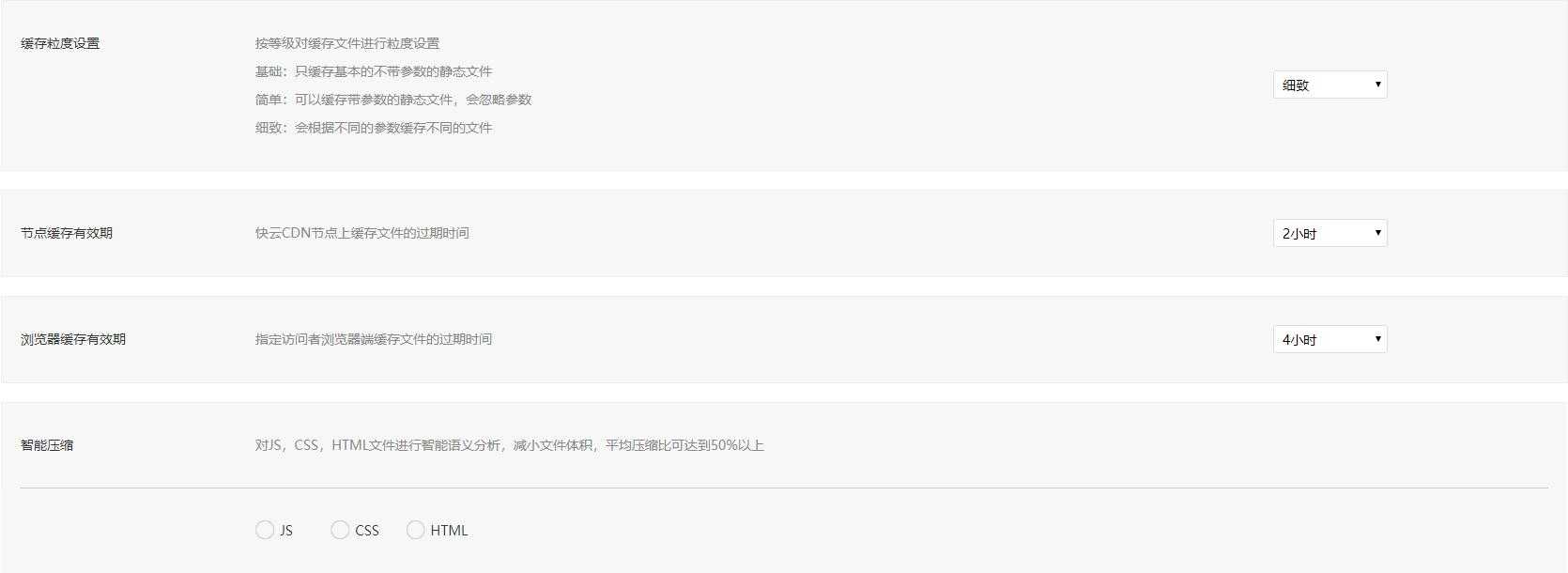
CNAME Settings
The console only supports Cache Refresh and Smart Compression. Fast image loading requires Professional Edition support, which is inferior to other providers in this regard, and HTTPS is not supported.
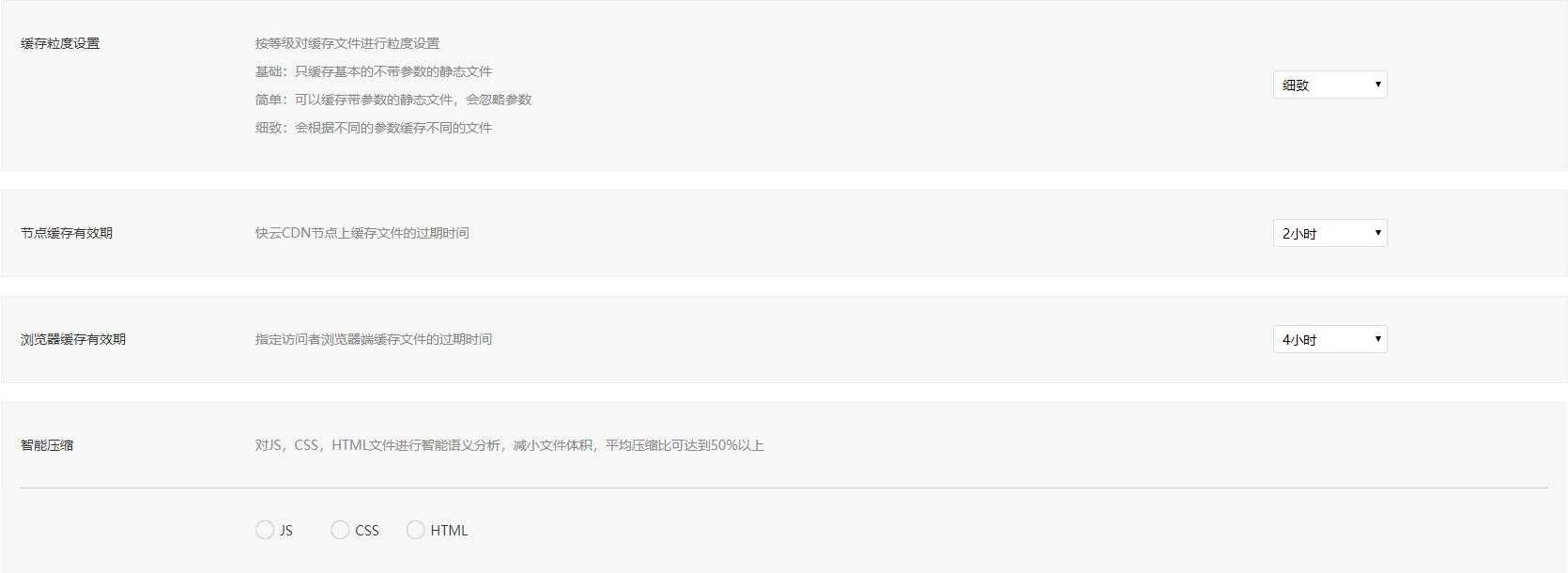
Detailed Configuration Settings
Next, let's test the global latency. Like Jiasule, it does not state whether global acceleration is supported.
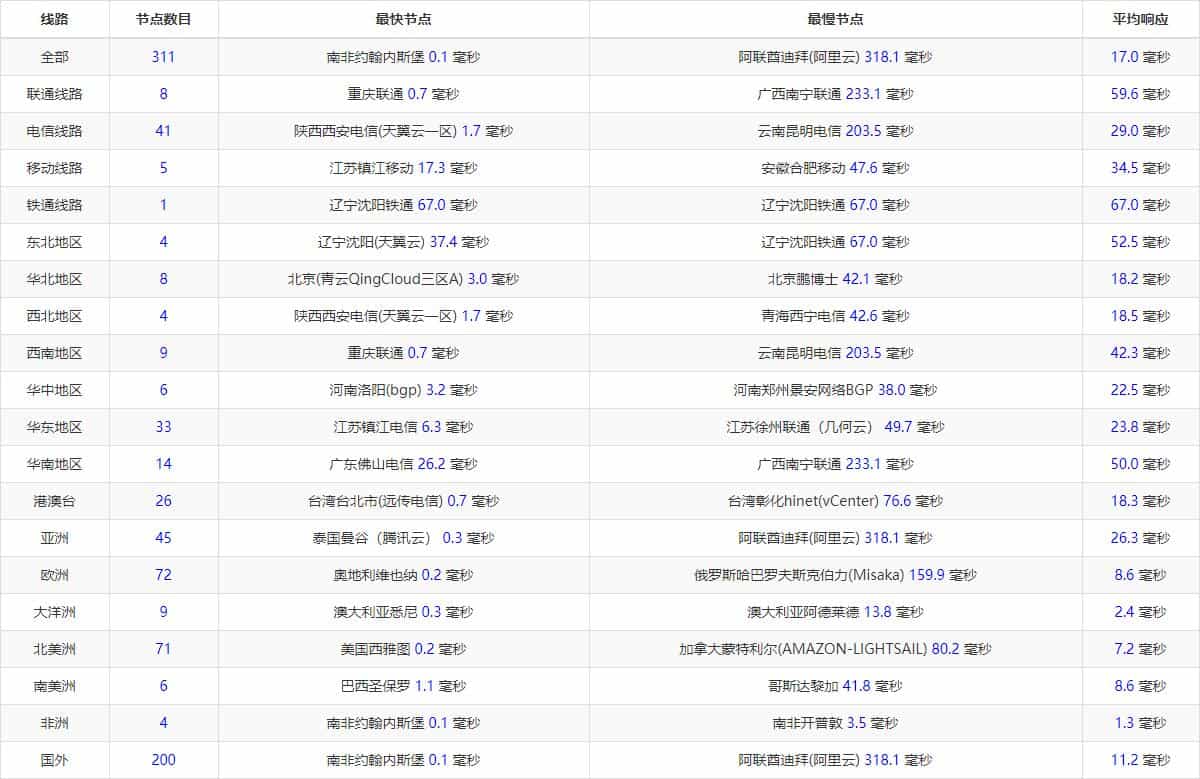
Latency Situation
It was detected that overseas acceleration is supported, and it uses Cloudflare servers overseas. In this regard, it is the same as Baidu Cloud Accelerator. I have to say, Cloudflare's overseas acceleration is very stable.
As for the domestic acceleration, I can only say that the acceleration effect is average.
Huawei Cloud CDN (Trial)
Huawei Cloud's CDN is used for two months, with 500GB of acceleration traffic per month, requiring real-name authentication, Registration Link.
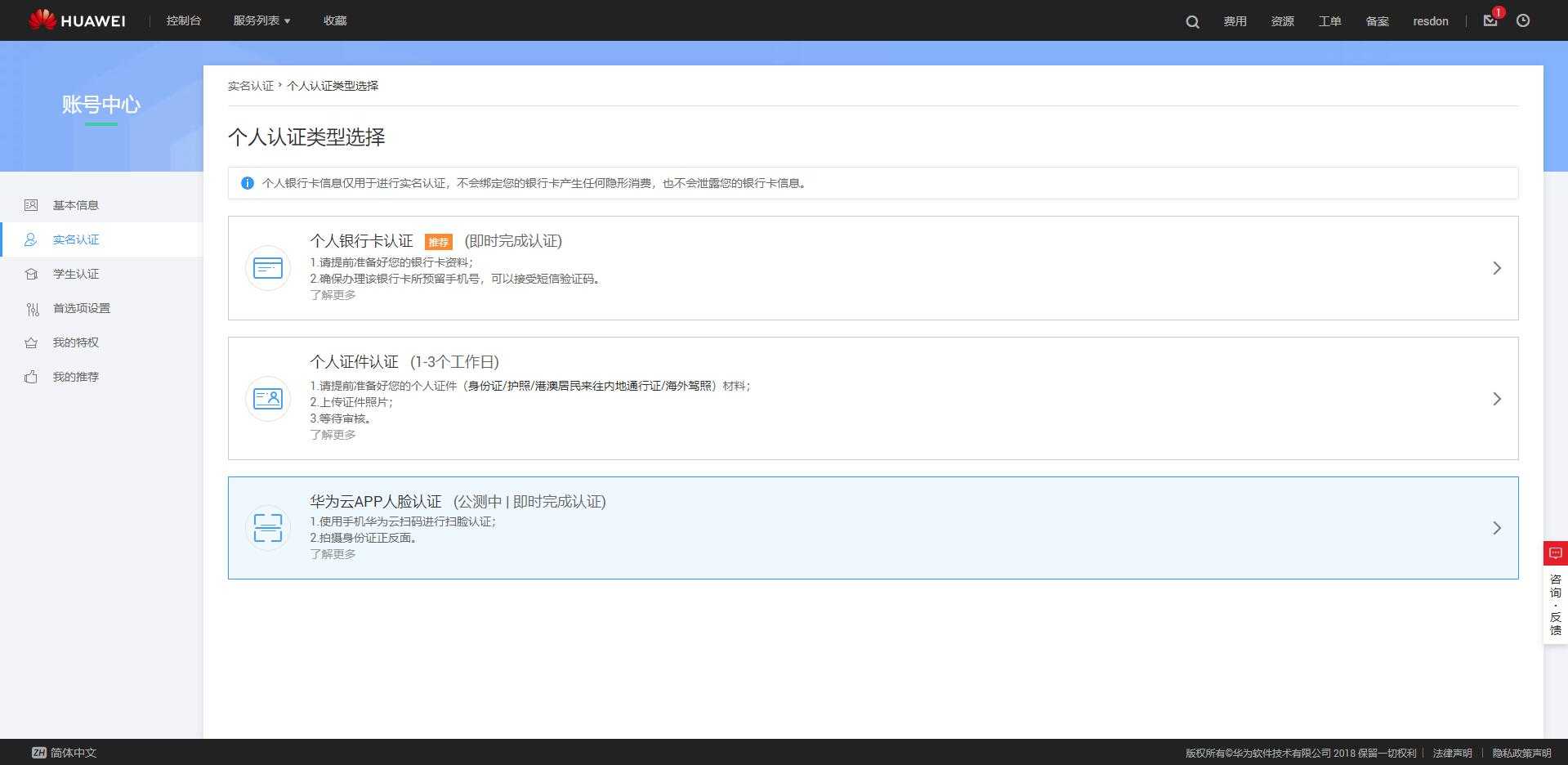
Personal Authentication Interface
Real-name authentication supports three authentication methods. Bank Card Authentication and APP Facial Recognition are real-time.
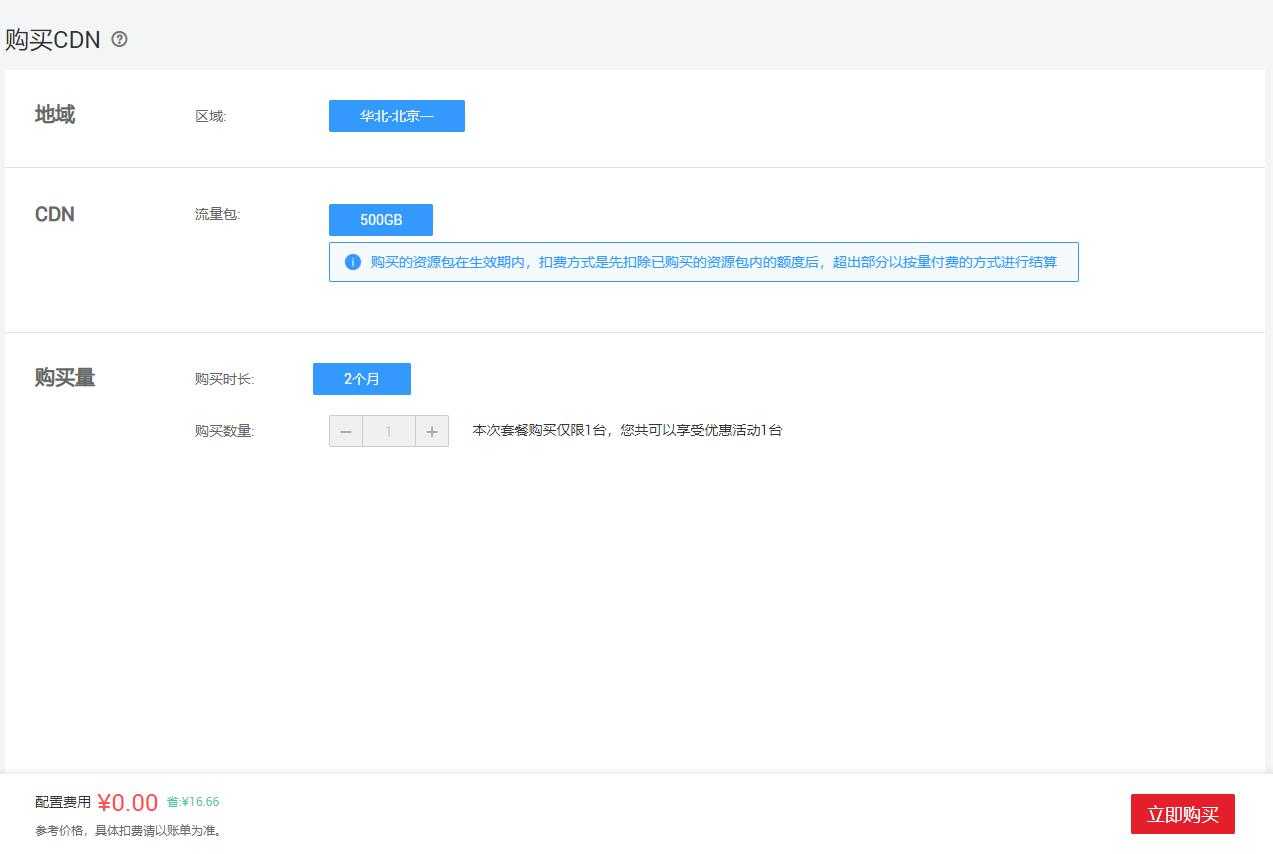
Free Trial Package
The two-month trial is completed in the form of an order. Global acceleration is not supported (it is only a domestic traffic package; an overseas acceleration package needs to be purchased separately), HTTPS is supported, but unfortunately it is only a two-month trial (the current price for purchasing a mainland traffic package is 50 RMB/500GB/1 year).
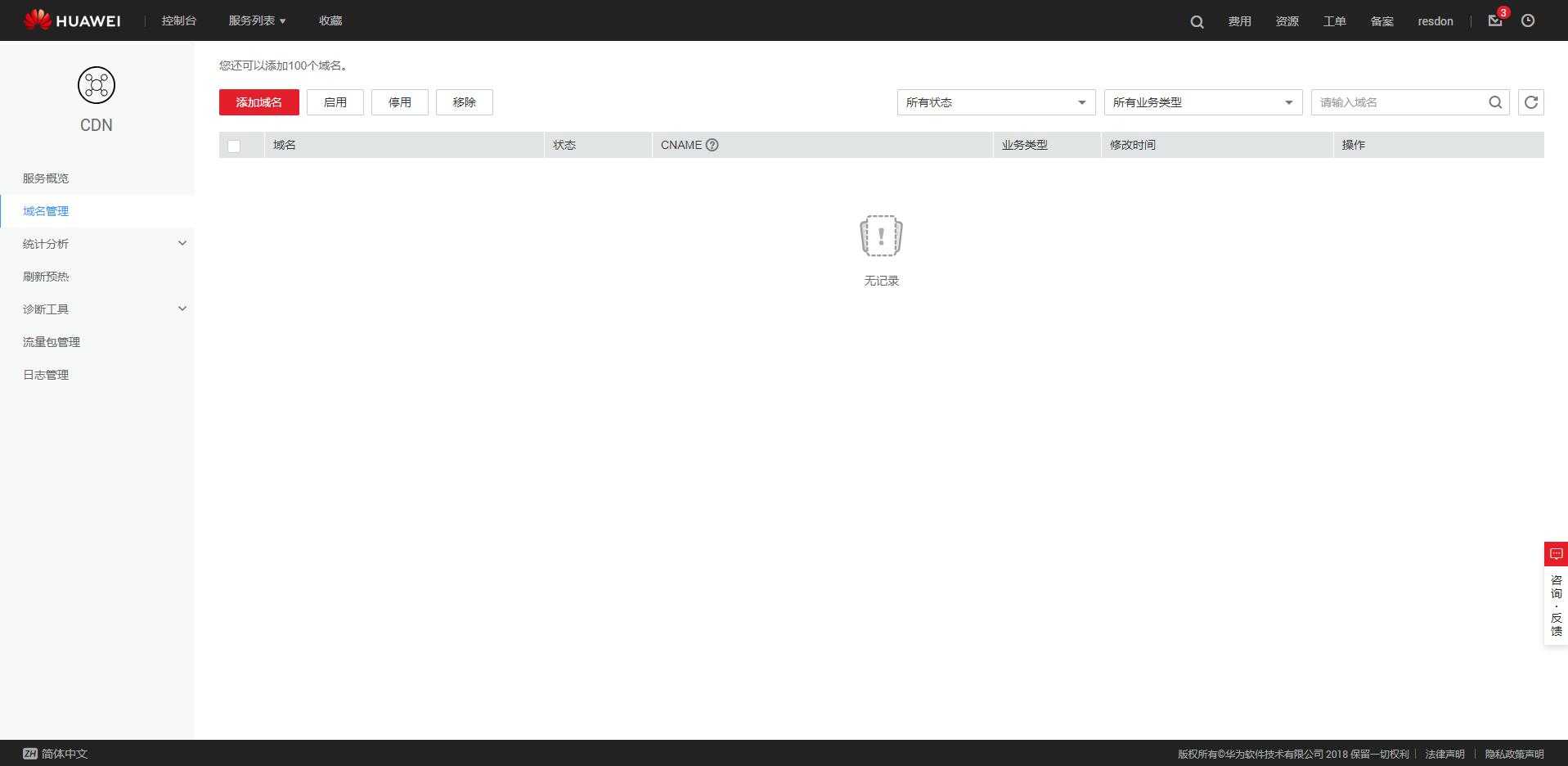
Console Interface
Click Add Domain to complete the CDN acceleration for your domain.
After filling in the information, confirm it. After a short while, CNAME information will appear. Go to your DNS provider to add a CNAME record.
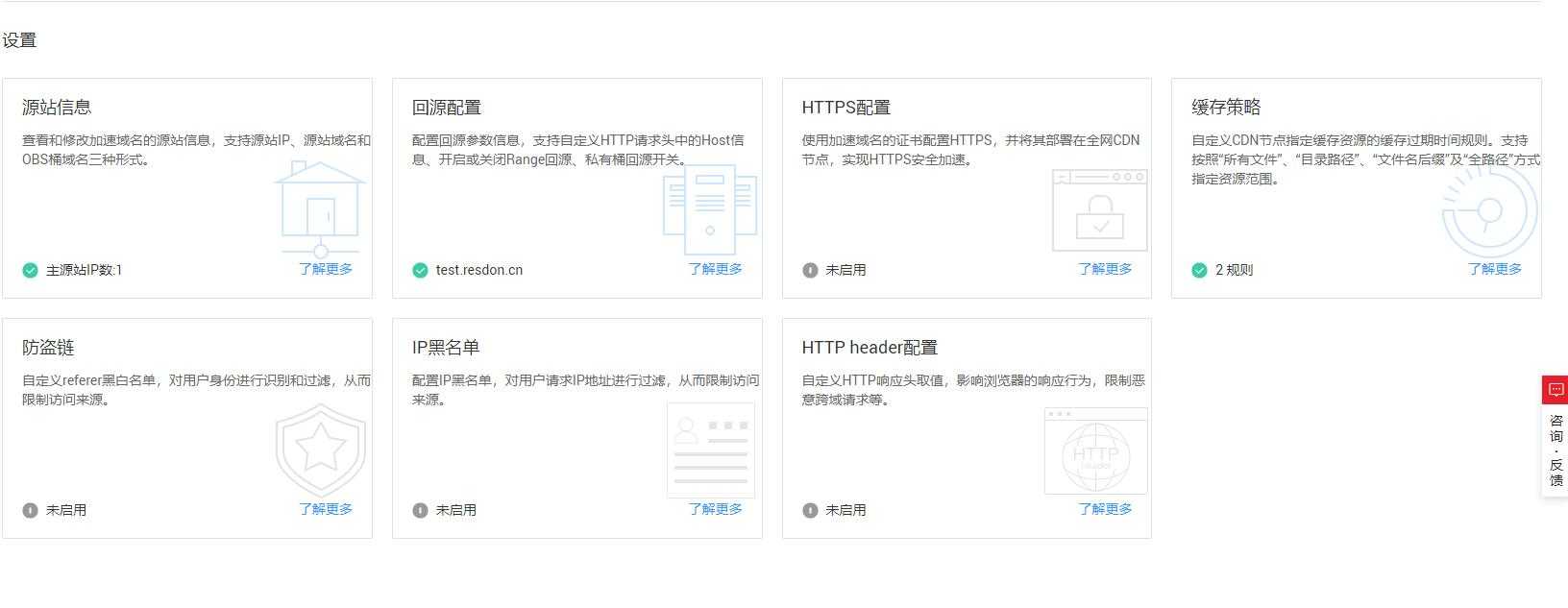
CNAME Settings
After all, it is still a paid product, so it has all the functions it should have, and it is quite complete.
Next, test the global latency.
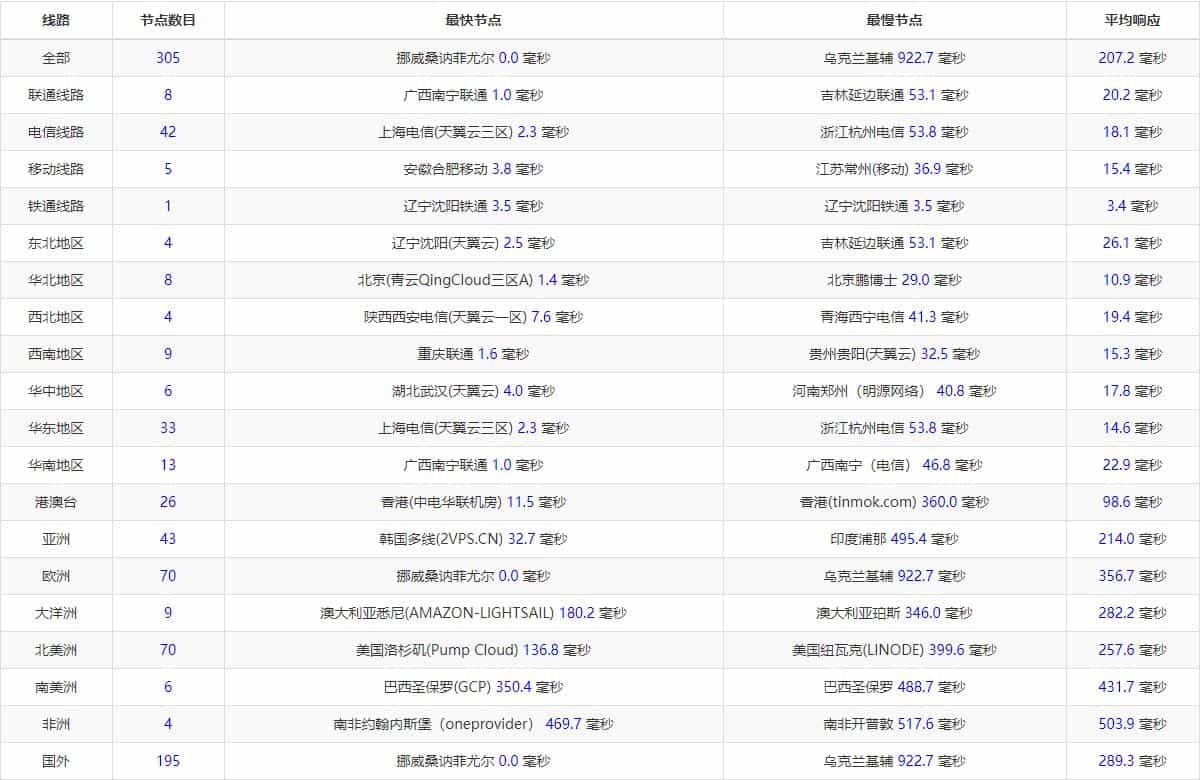
Latency Situation
The domestic latency is at a relatively excellent level, but the overseas latency goes without saying—it naturally crashed.
360 CDN (Unusable)
360's CDN feels like it is in a half-crippled state, and it also requires real-name authentication.
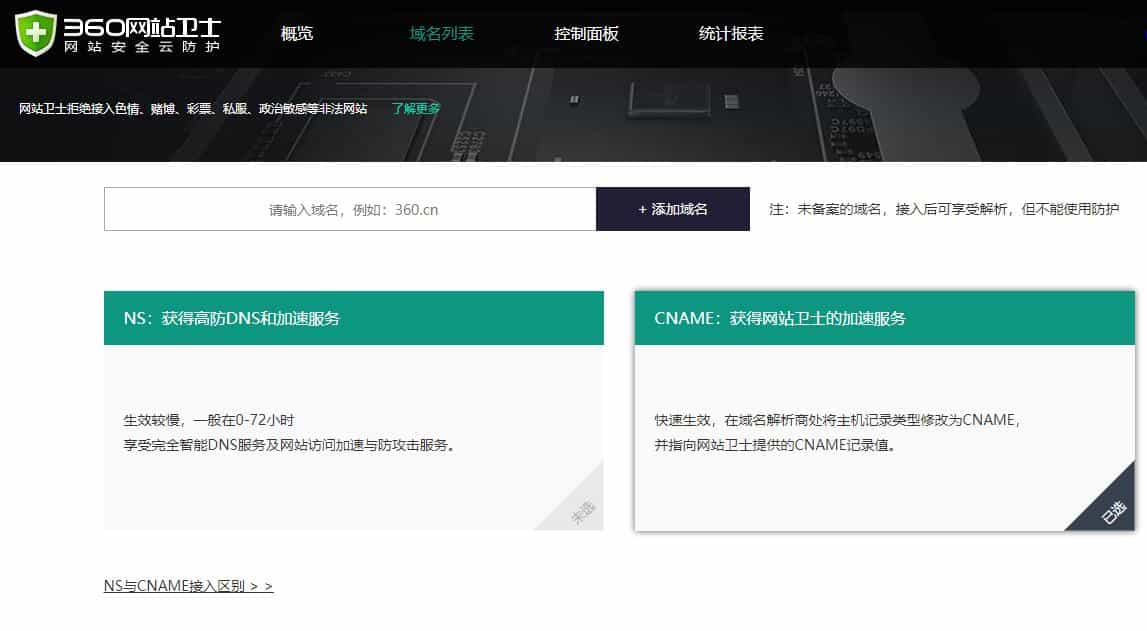
Domain Access Method
Enter the Main Domain in the text box, select CNAME access, and add the domain.
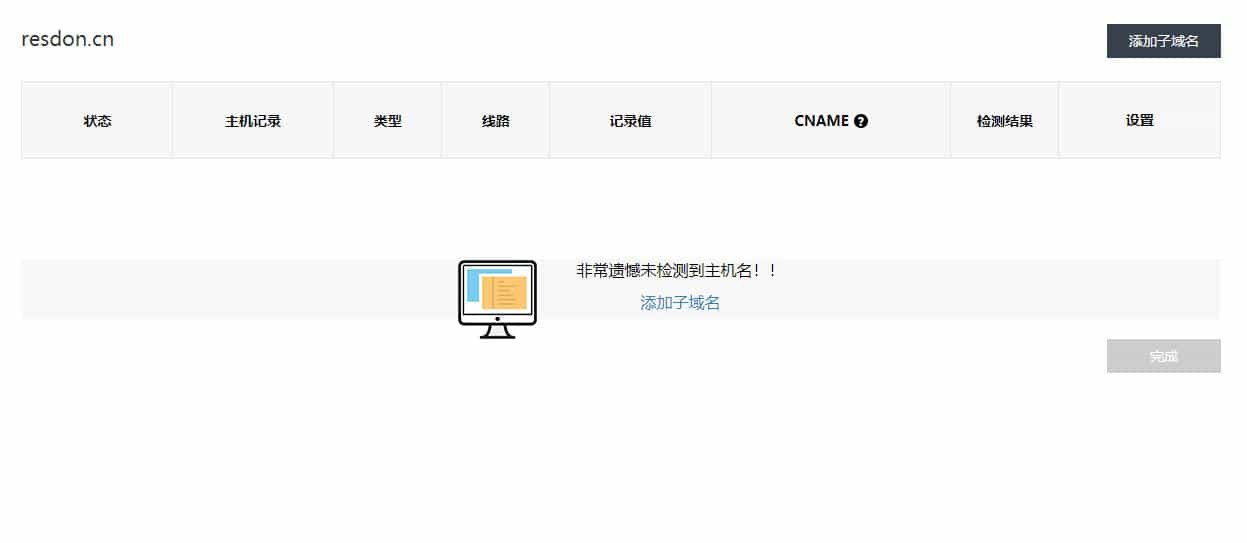
CNAME Access
Then just add a subdomain, select cloud protection, the process is similar to Baidu Cloud Accelerator.
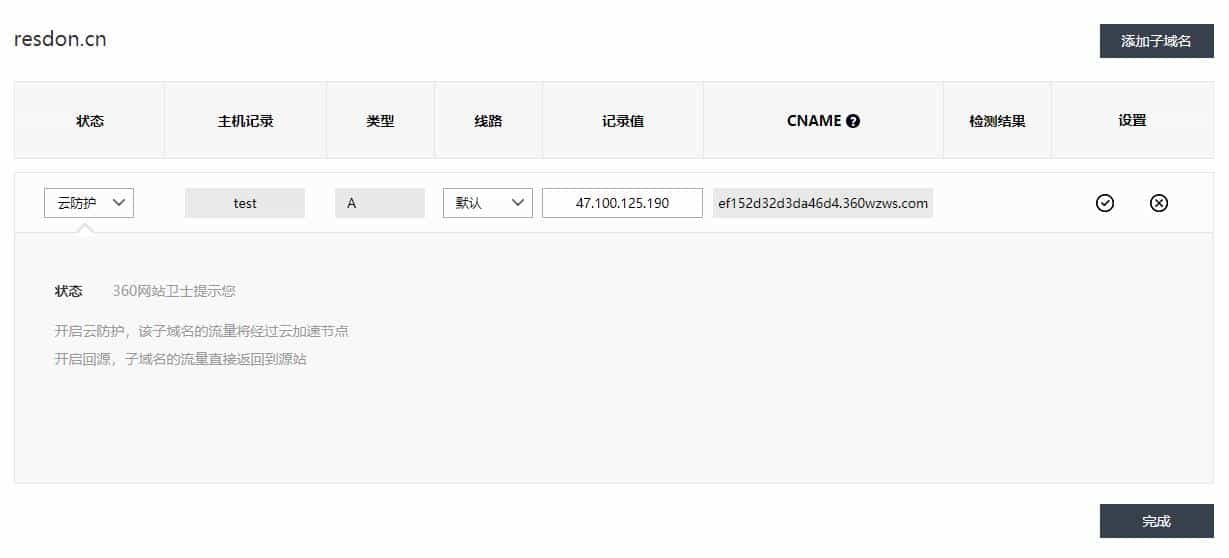
Domain Settings
Add the obtained CNAME to the resolution at your DNS provider to make the acceleration take effect.
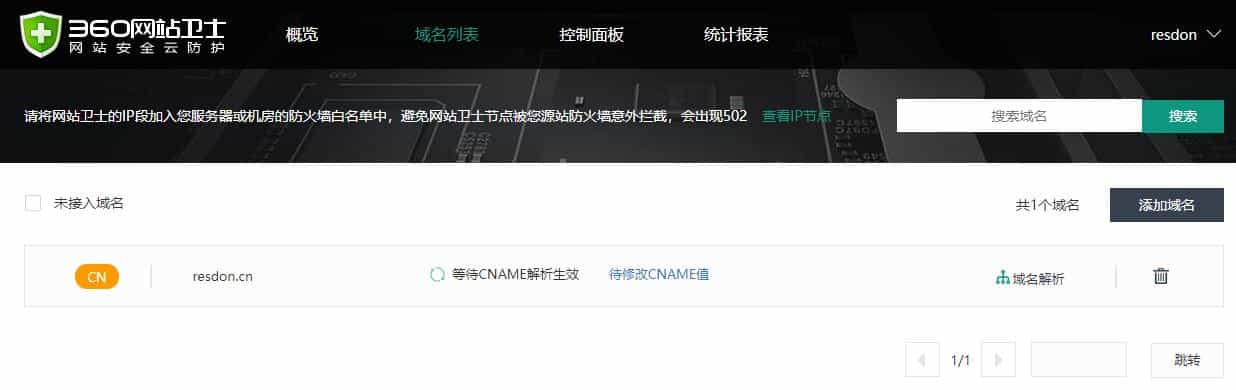
Setup Successful Interface
The CNAME resolution has already taken effect, but it cannot be detected on 360's side. As expected, it is crippled and unusable.
Below is the latency from when the resolution was successful previously. It is horrible; except for the few listed, all other nodes have 100% packet loss.
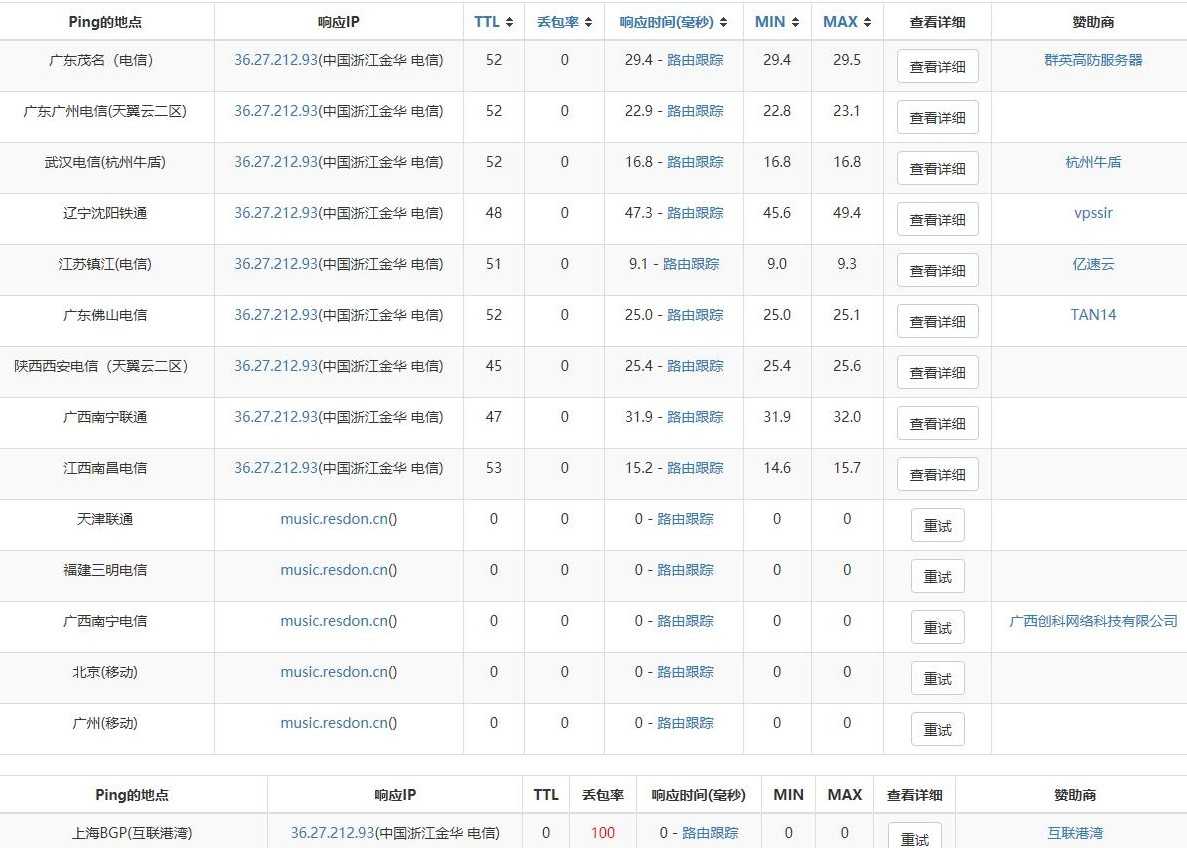
Latency Situation
Summary
Except for 360 which is unusable, the other 6 providers are included for comparison.
Registration Difficulty: They are all about the same, requiring real-name authentication + website ICP filing. Upyun is more troublesome, requiring an application to the official and promoting Upyun on your website.
Completeness of Management Panel Functions: Huawei Cloud > Upyun > Qiniu Cloud = Baidu Cloud > Jiasule > Kuaiyun
In the comparisons below, the first one is the best.
Network Latency in Various Regions (Global): Baidu Cloud < Kuaiyun < Qiniu Cloud < Upyun (the former support global) < Huawei Cloud < Jiasule
Network Latency in Various Regions (Domestic): Huawei Cloud < Upyun < Qiniu Cloud < Baidu Cloud < Jiasule < Kuaiyun
(Calculated by average, and only tested once via IPIP.NET, not rigorous)
Providers Supporting HTTPS: Upyun, Huawei Cloud
Providers Supporting Global Acceleration: Baidu Cloud, Kuaiyun (based on Cloudflare); Upyun, Qiniu Cloud (self-owned)
Comprehensive Recommendation: Upyun > Baidu Cloud > Qiniu Cloud > Kuaiyun > Jiasule > Huawei Cloud
(Personal thoughts, for reference only; I am not very knowledgeable, please point out any errors)