Website ICP Filing Diary
2018.10.25
Preparing for Initial Review


After renewing my ECS cloud server on Alibaba Cloud for three months, I officially started the domain name filing process. After filling in the basic information and uploading the three necessary documents, the filing entered the stage of waiting for the initial review.
Three necessary documents: verification form, photos of the front and back of the ID card, domain name certificate.

Initial Review Submission
(Updated at 2:27)
It seems that using Alibaba Cloud's ECS only requires filing for port 80. Since my whole site uses HTTPS, it seems I can access it directly... Filing doesn't seem very necessary. But since I've already started, I'll keep going and wait for the initial review to pass.
(Updated at 12:47)
At 9 AM, I received a call from Alibaba Cloud. After confirming the basic information, the initial review was passed.
There was a small issue here: I initially signed the verification form on my computer without printing it. The Alibaba Cloud staff reminded me that I must print it out, sign it by hand, take a photo, and upload it. After that, I sent the photo to the email address he provided, and it proceeded to the next step.
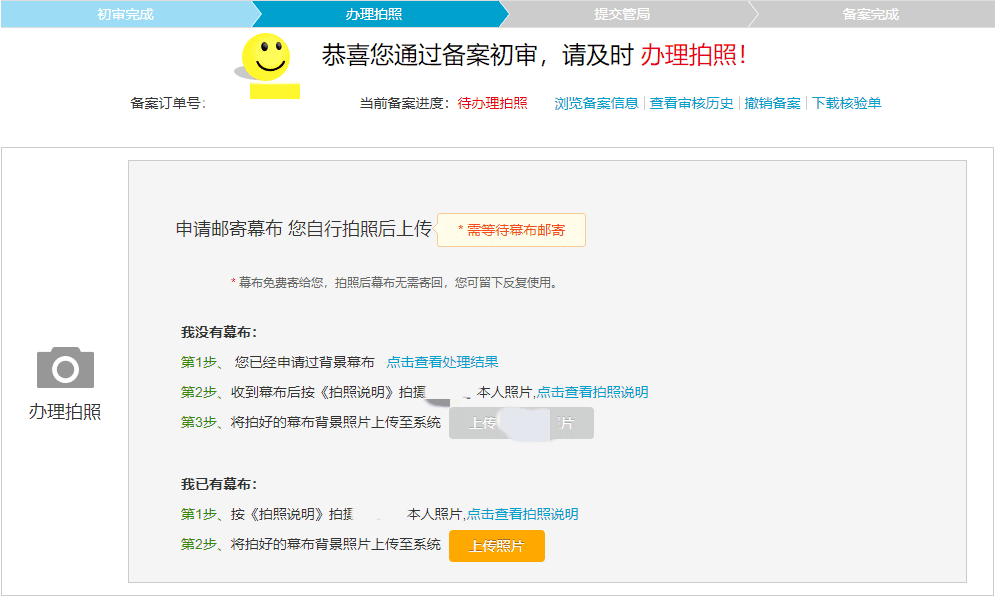
Initial Review Passed
Applying for the Backdrop and Taking Photos
You can apply for a free mailed backdrop directly on Alibaba Cloud, and then take a photo and upload it after the delivery arrives.
(The browser cleared the filled-in street information when submitting; I have now contacted Alibaba Cloud customer service to request a modification)
(Updated at 16:16)
Because I was in class, I missed three calls from Alibaba Cloud, so the first backdrop application failed directly. However, for this reason, I could apply again. The second time there were no problems, and I directly received a notification of successful application.
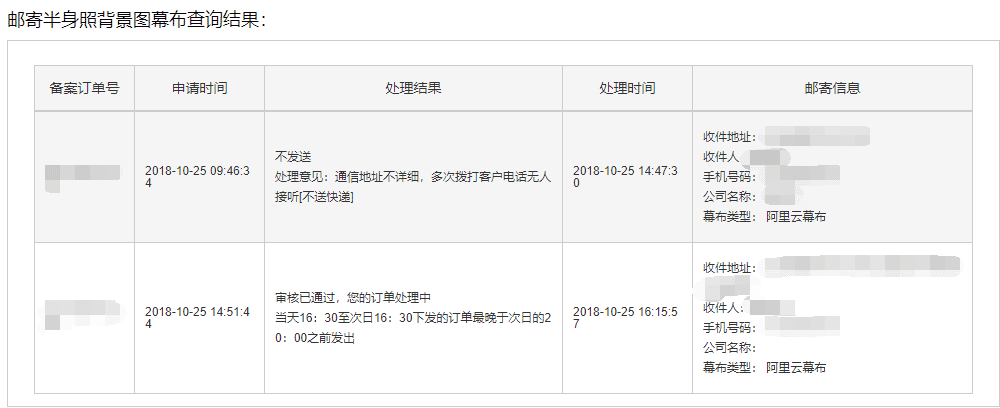
Backdrop Mailing Application
(Updated at 18:15)
Received the tracking number notification from Alibaba Cloud. Now I just have to wait for the delivery. Optimistically, the package should arrive tomorrow.
2018.10.26
(Updated at 11:20)
Received a text message from the delivery center; I'll go pick it up after class in the afternoon.
(Updated at 16:10)
Got the package and asked a friend to help take a photo. There are three official requirements:
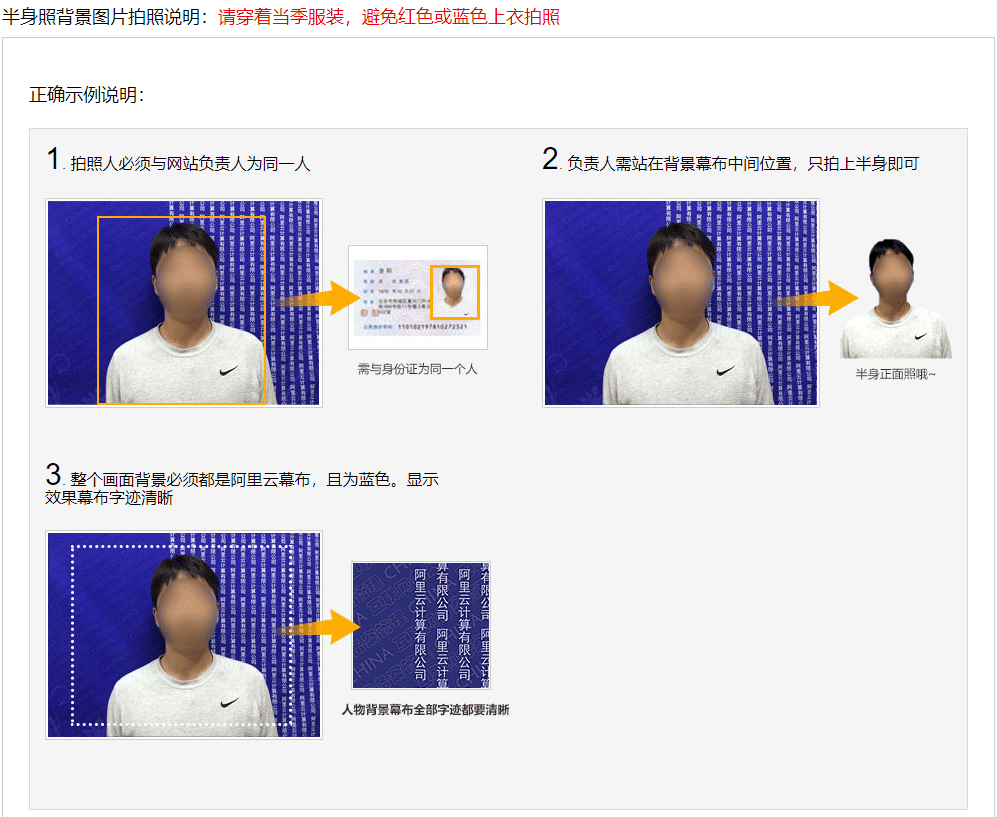
Photo Shooting Requirements
Took the photo according to the official requirements, and after uploading successfully, waiting for review.
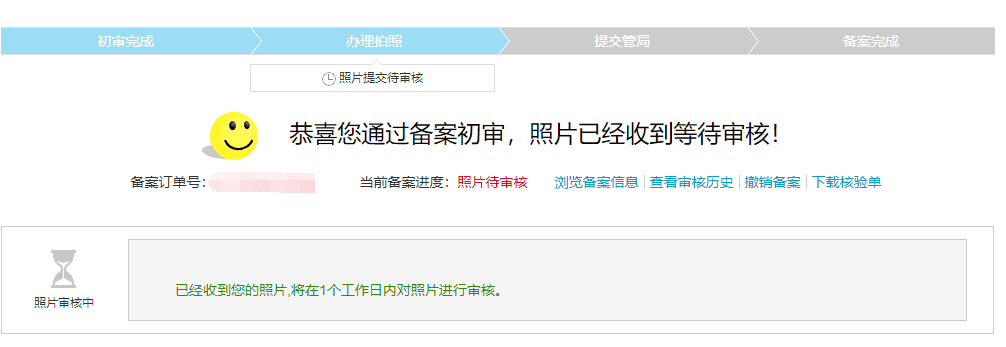
Waiting for Review
Submitting to the Communications Administration for Review
(Updated at 17:02)
Alibaba Cloud's review is completed. The next step is to submit it to the Communications Administration and wait for certification. However, it's unexpectedly estimated to take 16 days???
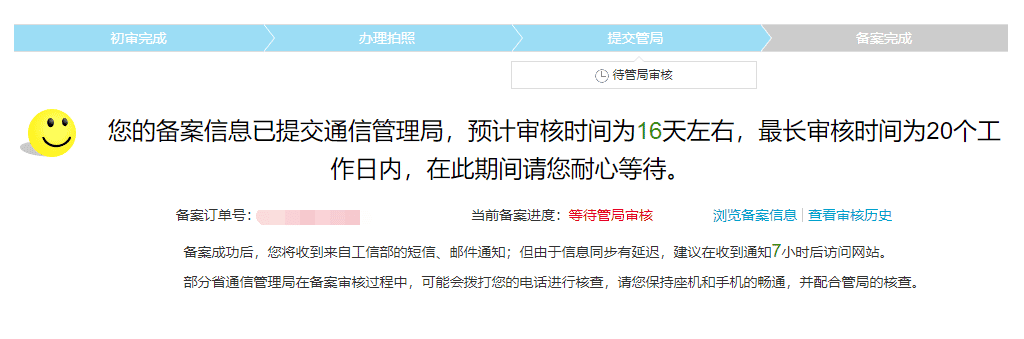
Communications Administration Review
2018.11.2
(Updated at 17:30)
Seven days have passed, and there is still no news. I'll just keep waiting.
2018.11.6
(Updated at 21:12) Finally! The filing is approved!
Received a call and email from the Ministry of Industry and Information Technology at 4:50 PM, and the information synchronization was completed at 6:30 PM.
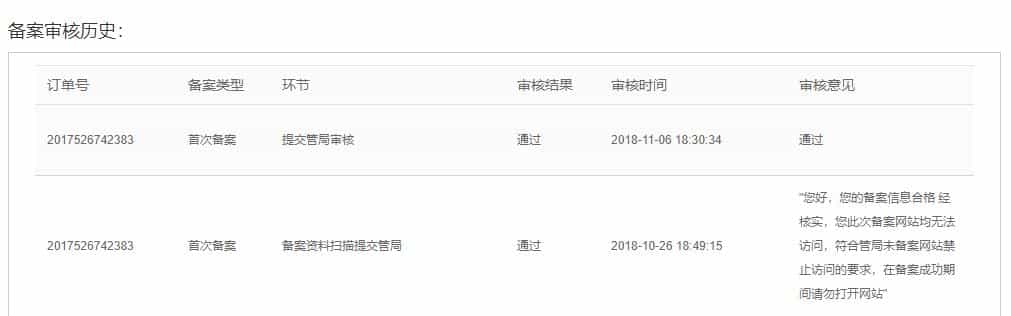
Review Passed
It took 13 days in total to complete the ICP filing. Since it was my first filing, Alibaba Cloud extended my ECS server for 13 days, which is the duration of the filing process. That was quite nice of them.
Next, I'll apply for the public security filing.
(Updated at 22:40) The public security filing application has been submitted, waiting for review.

Public Security Filing Application
2018.11.9
(Updated at 17:52) I happened to search online in the afternoon and found some people saying that students shouldn't use their school address to apply, otherwise it will be rejected. So I immediately went to change my filing information. Sure enough, it was approved after waiting just over two hours.
The next step on the website was to deploy the icon and the filing number, as shown in the figure below.
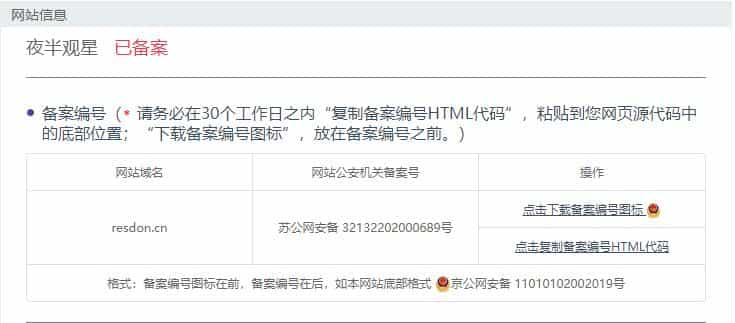
Public Security Filing Review
Now, this site has passed both the ICP filing and the public security filing.
This matter is now considered complete.